
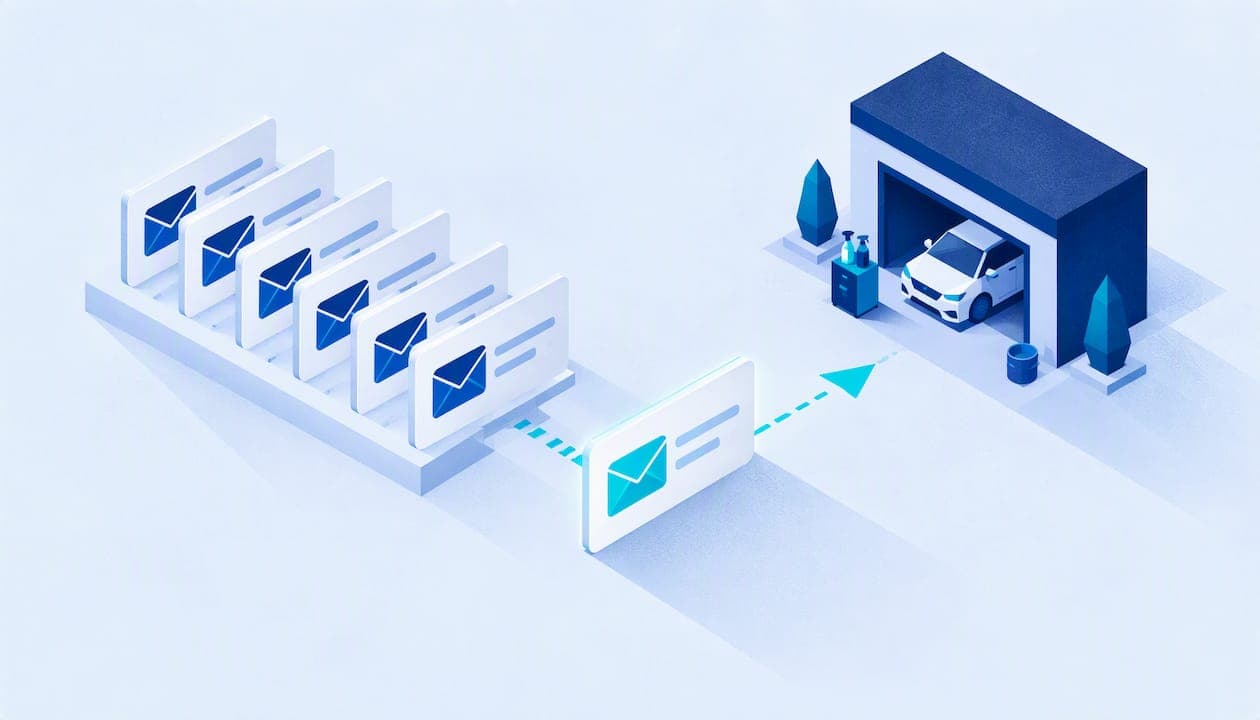
The emails that matter most to a detailing business are the ones tied to a real job: the confirmation, the reminder, the aftercare note, the review request and the rebooking nudge. Below are eight templates you can paste into your email tool today, with the timing for each, subject lines that work, and the legal basics you need before you hit send.
TL;DR
- Send emails triggered by a job (confirmation, reminder, aftercare, review request), not generic newsletters.
- Space your rebooking reminders across roughly 6, 8 and 10 weeks after the last service.
- Add before-and-after photos and service-specific aftercare: that is what separates a useful email from noise.
- Every marketing email needs your physical postal address and a working opt-out, under the FTC's CAN-SPAM rules.
- Stop discounting in every message. Use maintenance and seasonal reasons to reach out instead.
Table of Contents
- Why job-based emails beat newsletters
- Before you send: the rules that apply
- The 8 templates
- When to send what
- Subject lines and sender names
- Segment by what the customer bought
- Stop treating every email as a coupon
- Our perspective: templates are the easy part
- Put these templates to work with a CRM
- FAQ
- Sources
Why job-based emails beat newsletters
Most detailers who start emailing begin with a monthly newsletter and a coupon. It rarely works. Industry data compiled for detailers points the other way: messages triggered by what the customer actually bought, such as ceramic coating aftercare versus a basic interior clean, consistently outperform generic blasts. The same source reports that a three-email reminder sequence at 6, 8 and 10 weeks brings back 15 to 25% of recipients, and that appointment confirmation and reminder emails reach open rates of 73 to 74% across automotive aftersales.

Treat those as benchmarks from one source, not promises. Your numbers will depend on your list quality, your sender name and how relevant each message is. What holds up everywhere is the logic: a customer opens an email about their own car and their own appointment.
There is also a practical reason. As a mobile detailer you are in the van, not at a desk. Templates you write once and reuse give you consistent, professional communication without eating your evenings.
Before you send: the rules that apply
The FTC's CAN-SPAM compliance guide says the law covers all commercial email, not only bulk sends, and that includes messages to past customers. In practice, for every promotional email you send:
- Include a valid physical postal address (a P.O. box or registered mailbox works).
- Give a clear, conspicuous way to opt out, and honor requests within 10 business days.
- Use an accurate sender name and a subject line that matches the content.
The FTC states that each violating email can carry a penalty of up to $53,088. Purely transactional messages, like "your appointment is Thursday at 9," are treated differently from promotions, but the safe habit is to put your business name and contact details in the footer of everything. If you are unsure how a particular message is classified, the FTC guide and the Can-Spam Rule text explain the "primary purpose" test, and a business attorney can confirm your situation.
The 8 templates
Replace anything in [brackets]. Keep the tone the way you talk to customers on the driveway: friendly, short, specific.
1. Booking confirmation
When: immediately after booking. Subject: You're booked: [Service] on [Date] at [Time]
Hi [First name],
Thanks for booking with [Business name]. Here are your details:
- Service: [Package/service]
- Date and time: [Date], [Time window]
- Location: [Address]
- Vehicle: [Year, make, model]
To help us do our best work, please make sure we have access to a water source and a shaded or covered spot if you have one. If anything changes, reply to this email or call [Phone].
See you soon, [Your name], [Business name] [Postal address]
The water and power line saves a surprising number of arrival-day phone calls. Adjust it to what your setup actually needs.
2. Appointment reminder
When: 24 to 48 hours before. Subject: Tomorrow: your [Service] with [Business name]
Hi [First name],
A quick reminder that we'll be at [Address] tomorrow, [Date], between [Time window] to detail your [Vehicle].
Please remove personal items from the interior and let us know about any areas of concern. Need to reschedule? Tell us by [Cutoff time] so we can offer your slot to someone else.
Thanks, [Name]
Pair this with a text if you can. We cover that in our guide to SMS appointment reminders that cut no-shows.
3. Day-of "on my way" note
When: 30 to 60 minutes before arrival. Subject: [Name] from [Business name] is on the way
Hi [First name], we're about [X] minutes from [Address]. Please have the vehicle accessible and keys or entry details ready. Reply here if the plan has changed.
Short is the point. This is often better as a text, but keep the email version as a backup record.
4. Service-complete summary with photos
When: the same day, within a couple of hours of finishing. Subject: Your [Vehicle] is done: before and after photos inside
Hi [First name],
We've finished your [Service]. Here's what we did:
- [Task 1]
- [Task 2]
- [Task 3]
Photos of the before and after are attached/below. We noticed [honest observation, e.g. light swirl marks on the hood that a paint correction would address], and we're happy to quote that whenever you're ready.
Thanks for trusting us with your car. [Name]
Photos matter. The same detailer email marketing data reports 2 to 3 times higher engagement for emails with before-and-after imagery than text-only campaigns. If you want a system for capturing those photos so they attach cleanly to each customer record, see our piece on photo documentation for detailers.
5. Aftercare instructions (service-specific)
When: right after the job, as a separate email so customers can find it later. Subject: How to care for your [ceramic coating / interior / paint correction]
Hi [First name],
Here's how to get the most from your [Service]:
- Avoid washing the vehicle for [X days/hours], per your coating's cure guidance.
- Use a pH-neutral shampoo and a clean microfiber mitt.
- Skip automatic brush car washes.
- Park out of direct sun for the first [X] if you can.
Questions? Reply to this email and we'll answer personally.
Use the cure times and product instructions from your actual product manufacturer. Do not guess: wrong aftercare advice can damage a customer's finish, and you will be the one blamed. Write one version per service type (coating, interior, paint correction, basic wash) and trigger the right one based on the job.
6. Review request
When: the day after service, or as soon as the customer says they are happy. Subject: How did we do on your [Vehicle]?
Hi [First name],
Thanks again for having us out. If you're happy with the results, would you leave us a quick review? It takes about a minute and helps other car owners in [City] find a detailer they can trust.
[Button: Leave a Google review] ([Direct link to your Google Business Profile review form])
If anything wasn't right, reply to this email and I'll make it right. [Name]
A direct link to your Google Business Profile removes friction, and local reviews drive much of the "auto detailing near me" traffic. Our guide to review management for detailers covers sending requests within 72 hours.
7. Rebooking reminder sequence
When: about 6, 8 and 10 weeks after the last service, and stop once they book.
Email 1 (week 6), subject: Time for a maintenance detail?
Hi [First name], it's been about six weeks since we detailed your [Vehicle]. Most customers book a maintenance visit every [3 to 4 months / X weeks] to keep the finish in shape. Want me to hold a spot on [Date options]? Reply or [book here].
Email 2 (week 8), subject: Your [Vehicle] after [season]
Hi [First name], [Seasonal reason: pollen season is here / winter road salt is coming]. A maintenance wash and [sealant/interior refresh] now makes the next clean-up much easier. [Book here].
Email 3 (week 10), subject: Last nudge from [Business name]
Hi [First name], I don't want to crowd your inbox, so this is my last reminder. If you'd like us back out, we have openings on [Dates]. Either way, thanks for being a customer.
If you need a rhythm to recommend, our post on setting a 3 to 4 month detailing rhythm is written for car owners, and three retention automations for detailers is the business-side view.
8. Seasonal education email
When: once or twice a season, to customers who fit. Subject: Protecting your paint before [winter salt / pollen season]
Hi [First name],
[Season] is hard on paint and interiors. Here are three things you can do now: [Tip 1], [Tip 2], [Tip 3].
If you'd rather leave it to us, we're booking [Service] for [Month]. [Book here].
[Name], [Business name] [Postal address] | [Unsubscribe link]
This is a promotional message, so the address and unsubscribe link are required, not optional.
When to send what
| Trigger | Timing | |
|---|---|---|
| Booking confirmation | Booking made | Immediately |
| Reminder | Appointment approaching | 24 to 48 hours before |
| On my way | Departure | 30 to 60 minutes before |
| Service summary | Job finished | Same day |
| Aftercare | Job finished | Same day, separate email |
| Review request | Positive experience | Next day |
| Rebooking sequence | No new booking | About 6, 8, 10 weeks |
| Seasonal education | Calendar | Once or twice per season |
Subject lines and sender names
Open rates depend heavily on whether the recipient trusts the sender before reading a word. Brevo's 2025 benchmark guidance describes email metrics as linked: better opens lead to more clicks, and relevant content keeps unsubscribes low. So:
- Send from a person plus business, like "Mike at Shine Mobile Detailing," not "noreply."
- Put the vehicle or service in the subject: "Your Tacoma is done" beats "Service update."
- Keep subjects under about 50 characters so they survive a phone screen.
- Match the subject to the body. Misleading subjects are also a CAN-SPAM problem.
Segment by what the customer bought
You do not need fancy software to segment. You need two or three tags: the type of service (interior, exterior, paint correction, coating), the date of the last job, and the vehicle. A customer who paid for a full paint correction needs different follow-up than someone who got a standard interior clean. The first wants protection advice and a maintenance plan; the second might want an exterior add-on. Send each the email that makes sense for them, and rebooking and upsell conversions rise because the message respects what they bought.
The same logic applies to seasonal messages. Pollen protection in spring or salt and snow protection in autumn gives you a genuine reason to write, which is better than another coupon.

Stop treating every email as a coupon
Constant discounting trains customers to wait for a deal. Reserve offers for a specific purpose, such as filling a slow weekday or reactivating a customer who has been gone a year. Everywhere else, lead with usefulness: aftercare, maintenance timing, a photo of what you found on their car. Customers who feel informed book at full price.
Our perspective: templates are the easy part
We built Mobile Detail AI because detailers told us the same story: the work is great, the admin is what breaks. A template is only useful if it fires at the right moment, goes to the right customer and references the right job. Copying and pasting from a document at 9 p.m. is where the process falls apart, and it is where follow-ups quietly stop happening.
So our view is simple. Start with the templates above, but tie them to your booking records. The confirmation, reminder and aftercare messages should come from what is already on the job: the service, the vehicle, the time, the photos. When customer history lives in one place, you stop guessing who is due for a maintenance visit and who just had a coating done last week. That is what a CRM built for detailing is for, and it is why we focus on scheduling, customer records and service history together instead of treating email as a separate chore.
— Mobile
Put these templates to work with a CRM
If you would rather not rebuild your customer list by hand, the Mobile Detail AI provider plans are published openly: CRM-Only at $1 per month, Marketplace at $59 per month and Preferred at $139 per month. The CRM covers scheduling, route optimization, customer management, invoicing and analytics, so the booking details your emails depend on are already in one place. Marketplace listings also put you in front of car owners searching for a detailer; see how marketplace benefits for detailers play out, or explore Mobile Detail AI to get started.
FAQ
How many emails should a detailer send each month?
Most of your volume should be job-triggered messages, which go out only when something happens. For promotional emails, one or two a month is plenty for most small detailing businesses. Fewer, more relevant messages protect your sender reputation and keep unsubscribes down.
Do I need an email marketing platform, or can I use Gmail?
Gmail works for confirmations and personal follow-ups when you have a handful of customers a week. Once you send rebooking sequences or seasonal emails to a list, you need a tool with built-in unsubscribe handling and your postal address in the footer, since CAN-SPAM requires both for promotional email. Choose based on your size: a solo mobile detailer needs something much simpler than a multi-van operation.
When is the best time to ask for a review?
Ask soon after the job, while the result is fresh, ideally the next day. Include a direct link to your Google Business Profile so it takes one click. If a customer mentions a problem, fix it before you ask for anything.
Can I email customers who haven't booked in over a year?
Yes, CAN-SPAM applies to messages to former customers just as it does to current ones. Include your postal address, a clear opt-out, and honor opt-outs within 10 business days. A short "we'd love to see you again" note with a specific reason, like a seasonal protection service, works better than a blanket discount.
Sources
- Email marketing for auto detailers (Sequenzy)
- CAN-SPAM Act: A Compliance Guide for Business (FTC)
- 16 CFR Part 316, CAN-SPAM Rule (eCFR)
- Running a successful marketing campaign: Benchmark Brevo 2025