

Download an editable detailing invoice template in PDF, Word, or Excel and fill in your business info, itemized services, and payment terms. That covers most one-off jobs. If you're billing fleets, dealerships, or recurring customers, switch to a free online generator or invoicing software so totals, taxes, and payment links calculate automatically.
TL;DR:
- Using a template with clear vehicle details and itemized services helps prevent disputes and ensures invoice clarity for premium or complex jobs.
- Including your business info, unique invoice number, and client contact details in the correct format speeds up processing and reduces errors.
- Separating labor from materials, especially on high-end services, educates clients and minimizes pushback on costs.
- Automating calculations with online generators or spreadsheets saves time and reduces mistakes when handling multiple vehicles or fleet accounts.
- Implementing integrated booking and invoicing platforms streamlines workflows, cuts administrative time, and improves cash flow for busy detailers.
Table of Contents
- What Should a Detailing Invoice Template Include?
- What to Include on a Detailing Invoice
- How to Build Your Own Detailing Invoice Template
- How Should You Handle Deposits and Billing Steps?
- Worked Example: A Detailing Invoice From Start to Finish
- How Booking Platforms Are Changing Detailing Invoices
- Sources
What Should a Detailing Invoice Template Include?
A detailing invoice template gets you most of the way to a professional invoice, but the file format matters less than what's inside it. Before picking one, understand what each format is actually good for.
- PDF: locks the layout, prints cleanly, and attaches to email in seconds. Best for mobile detailers finishing a job in a driveway.
- Word: fully editable offline, good if you want to tweak wording or add a paragraph of service notes.
- Excel or Google Sheets: handles auto-calculations for tax and totals, and works well when you're tracking multiple vehicles or a fleet account.
- Google Docs: useful if two people (say, an owner and a bookkeeper) need to edit the same invoice.
- Online generators: auto-calculate subtotals and sales tax and can generate a payment link on the spot.
FreshBooks offers both a downloadable car detailing template and a generator that fills in itemized lines and tax automatically. InvoiceSimple leans toward editable templates with separate labor and materials lines, which matters once you start billing ceramic coatings or paint correction. Template goes further with an AI invoice builder that auto-populates fields and calculates totals, so you're not doing math between jobs.
The tradeoff: generators are fast but some gate features like recurring billing or branded templates behind a subscription. A static template costs nothing and works completely offline, which matters more than people expect when you're parked at a client's house with spotty signal.
What to Include on a Detailing Invoice
An invoice that's missing pieces slows down payment and looks unfinished. Here's what belongs on every detailing invoice, in the order it should appear.
- Business information: your business name, phone number, email, and address (or service area if you're mobile).
- Invoice number and dates: a unique invoice number, the service date, and the invoice date.
- Client contact info: name, phone, email, and billing address if different from the service address.
- Vehicle details: make, model, year, and license plate or VIN. VIN matters most when you're applying a coating tied to a warranty, since it links the service to that specific vehicle for any future claim.
- Service location: relevant for mobile detailers billing multiple addresses in a week.
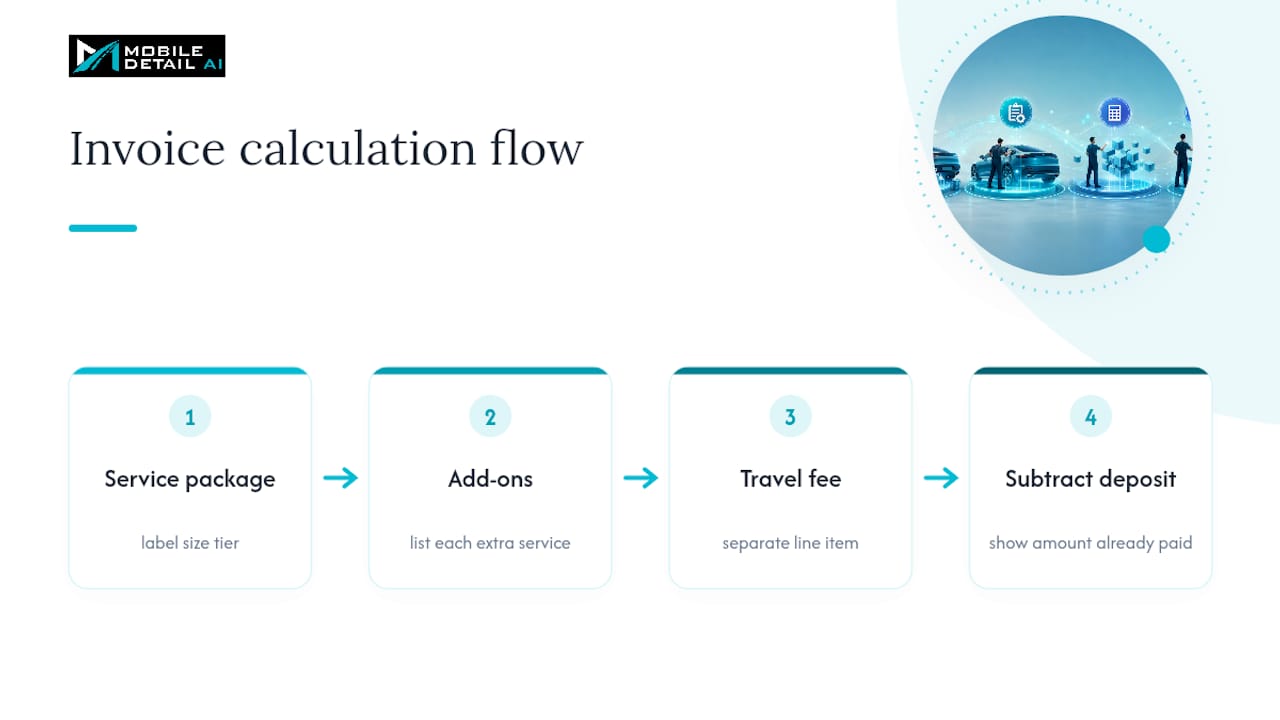
- Itemized services: the package line noted by size tier (sedan, mid-size, SUV, oversized), then separate lines for add-ons like engine bay cleaning or pet hair removal.
- Labor vs. materials: split these out, especially for premium services. Listing "ceramic coating materials" apart from "application labor" gives clients a reason for the price and cuts down on pushback.
- Deposit credit: show any deposit collected as a line-item credit, not a footnote.
- Subtotal, tax, and total: tax rules vary by state and by whether the service counts as taxable labor, so check your local requirements rather than guessing.
- Payment terms: accepted methods, due date, and any late fee policy.
Separating labor from materials does more than look tidy. It educates the customer on what they're paying for, which matters when a $250 ceramic coating job looks expensive next to a $40 wash.
Pro Tip: Note the vehicle size tier directly on the service line, not just in your head. "Full Detail, Package: SUV/Truck" tells the client exactly why their bill is higher than their neighbor's sedan.
How to Build Your Own Detailing Invoice Template
Setting up a template once saves you from rebuilding an invoice from scratch every job. Here's the sequence that works.
- Pick a format and add your branding. Choose PDF, Word, or a generator, then drop in your logo, business name, and contact block at the top.
- Define your packages and size tiers. List your standard services (basic wash, full interior, full detail) with pricing broken out by sedan, mid-size, SUV, and oversized vehicle.
- Build out add-ons and standard descriptions. Create separate line items for extras like odor removal, headlight restoration, or ceramic coating, and write short, consistent descriptions you can reuse. Keep labor and materials on their own lines.
- Set up tax, deposits, and travel fees. Configure your local tax rate, add a line for travel fees if you charge them, and set deposits to display as a credit against the total rather than a separate unexplained number. If you're using a generator, turn on auto-calculation so totals update as you add lines.
Once the template is built, run a sample invoice through it before using it on a real client. Export to PDF and check that every field, tax line, and total lands where it should.
Pro Tip: Save your finished template as a locked master copy, then duplicate it for each job. One accidentally overwritten template is how detailers end up reusing last month's client name on this month's invoice.
How Should You Handle Deposits and Billing Steps?
Most disputes over detailing invoices come down to unclear expectations, not bad work. A four-step workflow keeps everyone on the same page from quote to payment.
- Inspect and document. Photograph the vehicle's condition before starting, especially for paint correction or any job where pre-existing damage could become a dispute later.
- Estimate and collect a deposit. For premium jobs, a deposit in a moderate percentage range is common practice to protect against no-shows and cover the cost of coating materials ordered ahead of time.
- Perform the work and log extras. If the customer approves an add-on mid-job, note it as a change order so it's not a surprise on the final bill.
- Send the final invoice with the deposit credited. The balance due should reflect the full service total minus whatever was already collected.
Payment methods matter here too. On-completion jobs do fine with card, tap-to-pay, or a payment link from your generator. Fleet or dealership accounts often need net-15 or net-30 terms instead, since they're paying through accounts payable rather than a card swipe on-site.
Worked Example: A Detailing Invoice From Start to Finish
Numbers make this easier to picture. Here's a compact example for a mid-size SUV full detail with an add-on and a deposit already collected.
That structure, package plus add-ons plus travel fee minus deposit, avoids confusion at handoff because the client sees exactly what they already paid and what's left.
For starter files, a PDF suits mobile detailers who need to email an invoice on the spot. Word works if you're customizing wording job by job. Excel or Google Sheets fits shop owners batching several invoices a week, and either handles fleet accounts where you're tracking multiple vehicles under one client. Whichever you pick, always label the size tier on the service line and record VIN for any coating work tied to a warranty.
How Booking Platforms Are Changing Detailing Invoices
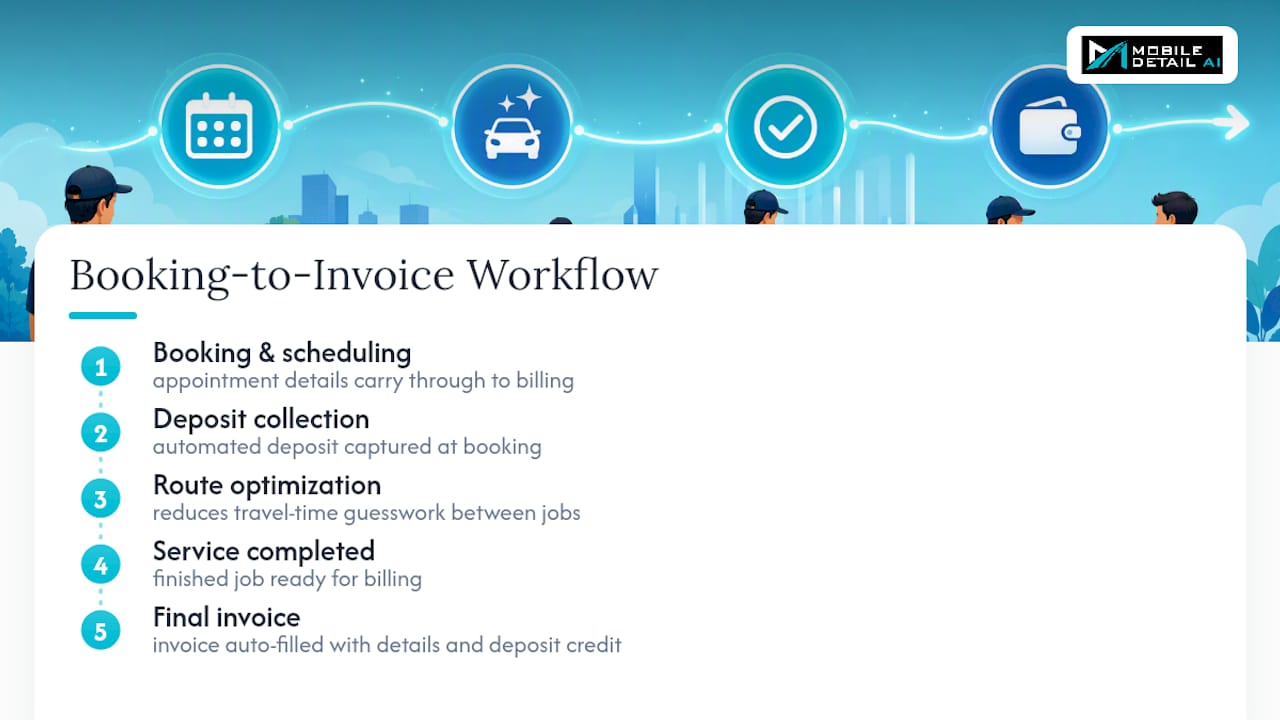
Most invoicing friction doesn't come from bad templates. It comes from retyping the same information three times: once at booking, once for the deposit, and again on the final invoice. That's where integrated platforms change the math.
Some platforms tie scheduling, deposit collection, and invoicing into one flow, so a booked appointment carries its details straight through to the final bill instead of getting rekeyed by hand. Route optimization also cuts down on the guesswork mobile detailers deal with between jobs, which matters when travel time eats into how fast you can turn a completed job into a paid invoice. Automated deposit capture at booking means the credit is already sitting on the invoice before you've picked up a wash mitt.
A template gets a solo detailer through their next ten jobs just fine. A platform earns its keep once you're juggling a full week of bookings and can't afford to lose ten minutes rebuilding an invoice from scratch every time.
— Mobile
If you're ready to stop rebuilding invoices from scratch every job, Mobile Detail AI bundles booking, deposits, and invoicing into a single workflow built specifically for detailers. It's worth a look once you're spending more time on paperwork than on paint.