
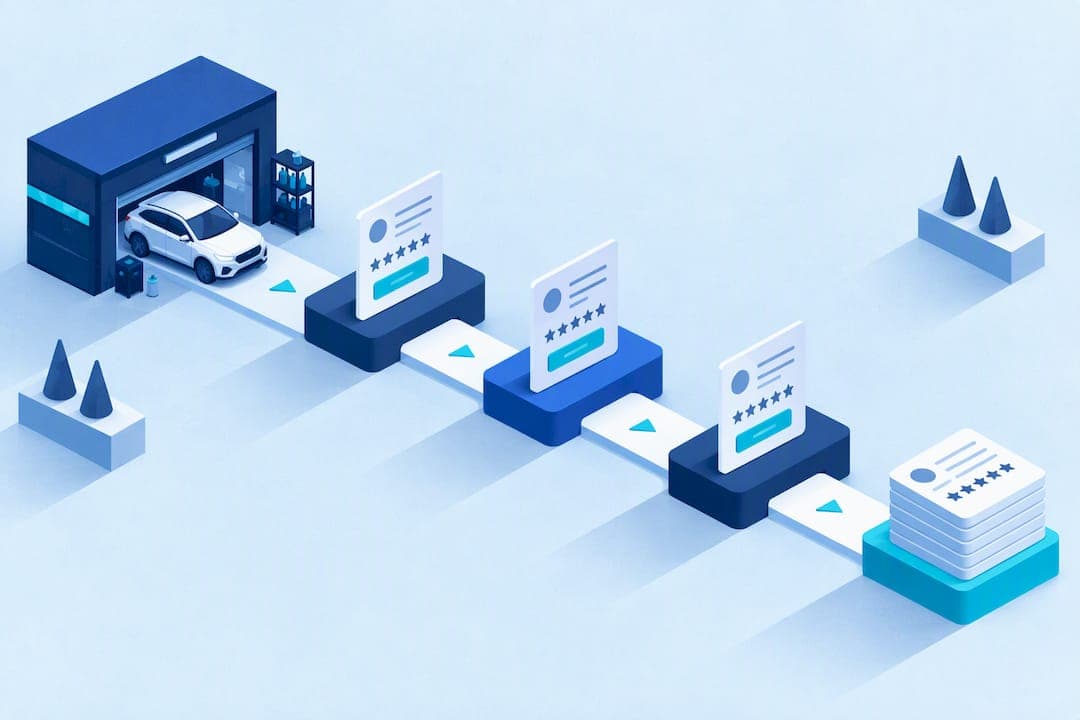
The fastest way to collect reliable reviews is a simple three-step system: ask in person, send an automated one-tap SMS within 24 to 72 hours, and track results in a CRM. This works because it pairs a human moment with a timed digital nudge, and it stays compliant with FTC and Google rules when you never pay for sentiment or fake a testimonial.
TL;DR:
- Set the CRM trigger to job completion, photo delivery, or payment, then schedule reminders at 5 to 7 days and 14 days for nonresponders.
- Prioritize Google Business Profile; reserve Yelp or Facebook requests for customers who found you there or already reviewed you on Google.
- Never buy, fabricate, or ghostwrite reviews; incentives must not depend on positive ratings, and any incentive connection must be disclosed.
- Track request conversion, review recency, rating trends, and platform distribution; test message wording and send timing to locate where customers drop off.
Table of Contents
- Quick-Start Checklist for Collecting Reviews Today
- Setting Up Automation: Triggers, Timing, and Tracking
- In-Person Scripts and Follow-Up Timing That Convert
- Which Review Platforms to Prioritize
- Compliance Checklist: FTC and Google Rules You Need to Follow
- Tracking KPIs and Running Simple Experiments
- How Mobile Detail AI Maps to the Review Workflow
- Why Steady Reviews Matter More Than a Big Rating Spike
- Automate Your Review Requests With Mobile Detail AI
- FAQ
- Sources
Quick-Start Checklist for Collecting Reviews Today
You do not need new software or a training session to start collecting reviews this week. You need a consistent moment to ask, a fast way to send the link, and a place to track who said yes.
Start with these five actions on your next job:
- Ask in person within 30 seconds of handing back the keys, while the vehicle still looks and smells freshly detailed.
- Add the customer to your automation before you leave the driveway or lot, with SMS as the primary channel and email as a secondary option using an AI-driven platform for repeatable quality and trust.
- Send a direct review link, not a generic "leave us a review" search prompt, and include a one-line photo request.
- Schedule automated follow-ups at 5 to 7 days and again at 14 days for anyone who has not responded.
- Log every request and outcome in your CRM so staff can see who to follow up with by phone or text.
A few habits make this stick:
- Keep the in-person ask short: customers respond better to a quick, specific request than a long pitch.
- Never wait until invoicing day to think about reviews: the ask happens at the moment of highest satisfaction.
- Treat the follow-up schedule as fixed, not optional, so no happy customer falls through the cracks.
Pro Tip: Text the review link from the same number your customer already has in their phone from booking confirmations: familiar numbers get opened faster.
Setting Up Automation: Triggers, Timing, and Tracking
A review request that depends on someone remembering to send it will fail eventually. The fix is to attach the request to an event your CRM already tracks, not to a person's memory.
Three triggers work well for detailing businesses:
- Job status change to "complete," which fires the moment a technician marks the vehicle done.
- Photo delivery, since sending after-photos is often the last touchpoint before the customer leaves.
- Payment confirmation, which guarantees the customer is satisfied enough to have paid in full.
Timing matters more than most detailers assume. BrightLocal's Local Consumer Review Survey finds that consumers respond best to short, prompt review asks, and many expect a prompt within 24 to 72 hours of the service. Waiting longer lets the memory of a clean, glossy interior fade into "just another errand."
Email still earns a place as a fallback for customers who prefer it or who did not respond to a text. Adding a QR code to the invoice or receipt gives walk-in and shop-pickup customers a third path that works without you typing a phone number.
A good template follows a simple anatomy: a short, friendly ask, one direct link to the platform you want reviewed, an optional request for a photo of the finished vehicle, and clear disclosure any time an incentive is offered. The FTC's consumer reviews and testimonials rule Q&A is explicit that incentives are allowed only when they are not conditioned on a positive review and the connection is disclosed.
Track opens, clicks, and completed reviews inside your CRM, then route non-responders into a staff follow-up task instead of letting them disappear into a dashboard nobody checks.

In-Person Scripts and Follow-Up Timing That Convert
The words you use at handoff shape whether a customer ever opens the text you send later. Staff should use the same two or three lines every time, not a long pitch.
For a mobile, on-site job:
- "Your car's ready. If you're happy with how it turned out, a quick Google review would really help us out. I'll text you the link."
- "We love seeing before-and-after shots. Mind if I grab one for our page, and feel free to share it in your review?"
For a shop pickup:
- "Here are your keys, and here's your car. If you've got thirty seconds, a review helps other local owners find us."
- "We'll text you a direct link in a minute so you don't have to search for us."
Your SMS and email templates should mirror that same brevity: one sentence asking for the review, one link, and a short thank-you. Save the full story for your website, not the text message.
A dependable cadence looks like this:
- In person, at the moment of handoff, while satisfaction is highest.
- SMS within 24 hours, timed to the trigger your CRM fires on job completion.
- A polite reminder at 5 to 7 days for anyone who has not clicked through.
Asking for a photo or a short comment in the same message, rather than a bare star rating, tends to produce reviews that mention specific work such as pet hair removal or a ceramic coating, which reads as more credible to future customers.
Which Review Platforms to Prioritize
Not every platform deserves equal attention, and sending every customer to every site dilutes your effort without building authority anywhere.
- Prioritize your Google Business Profile first: it drives the local visibility that shows up when someone searches "detailer near me," and it is the platform most customers check before booking. Our guide to Google Business Profile issues covers the setup details that make this channel work.
- Ask for Yelp or Facebook reviews from customers who mention they found you there, or from regulars who have already left a Google review and have more to say.
- Rotate which platform you ask different customers to review. BrightLocal's research notes that spreading requests across platforms reduces the appearance of manipulation and strengthens more than one profile at once.
- Encourage a photo or short video attachment wherever the platform supports it: these carry the most weight on Google and Facebook, where potential customers browse images before reading text.
Compliance Checklist: FTC and Google Rules You Need to Follow
Review requests that cross a legal or platform line can cost you a profile, a listing, or worse. The rules are not complicated, but they need to be part of staff training, not an afterthought.
- Never buy reviews or write them yourself, including through employees or family members posing as customers.
- If you offer any incentive for leaving feedback, it must not be conditioned on a positive rating, and the connection should be disclosed. The FTC's final rule on consumer reviews and testimonials prohibits creating or using fake or misleading reviews and certain review suppression practices.
- Follow Google's Maps user-generated content policy, which states reviews must reflect genuine experiences; incentivized or biased reviews and rating manipulation patterns are prohibited and can be removed, and accounts that violate the policy risk termination.
- Train every team member who interacts with customers on what they can and cannot say when asking for a review: no mention of discounts tied to a star rating, no pressure, no ghostwriting.
Businesses that respond to reviews, positive or negative, build more trust with future customers than those that stay silent, according to BrightLocal's survey data.
If you spot a suspicious review, such as one mentioning a service you never performed, report it through the platform's flagging tool rather than responding publicly first, and document your own service records in case you need to dispute it.
Tracking KPIs and Running Simple Experiments
You cannot improve what you never measure, and detailing businesses rarely need more than a handful of numbers to know whether their review system is working.
Watch four core metrics:
- Request-to-review conversion rate, the share of sent requests that turn into a posted review.
- Review recency, since a steady trickle of new reviews signals an active business more than a pile of old ones.
- Average rating trend over time, not just the current number.
- Platform distribution, so you can see if you are over-relying on one source.
| Metric | What it tells you | Where to find it |
|---|---|---|
| Request-to-review conversion | Whether your ask and timing are working | CRM automation report |
| Review recency | Whether new reviews are arriving regularly | Google Business Profile and CRM log |
| Average rating trend | Whether service quality is holding steady | Platform dashboard |
| Platform distribution | Whether reviews are concentrated on one site | CRM or manual tally |
A few quick experiments are worth running:
- Test two SMS message variants, one with a photo request and one without, and compare click rates.
- Compare same-day sends against next-day sends to see which produces more completed reviews.
- Test a single-tap link against a multi-step flow that requires a login or extra click.
When your CRM dashboard shows a drop-off between "sent" and "clicked," the message copy or timing is usually the problem. A drop-off between "clicked" and "posted" usually points to a platform that asks for too many steps.
How Mobile Detail AI Maps to the Review Workflow
The system described above depends on connecting a job event to an automated message and a place to track the result. That is the specific gap our platform is built to close for detailing businesses.
- When a job status changes to complete inside Mobile Detail AI, that event can trigger the automated SMS or email review request without a staff member remembering to send it.
- Photo documentation captured during the job maps directly into the CRM record, so the same images used for before-and-after proof can support a photo prompt in the review request.
- A one-page intake form capturing VIN, mileage, and photos standardizes data capture at the start of the job, which shortens the gap between service completion and the review ask. Our photo documentation guide covers how that mapping works in practice.
- Real-time service updates and vehicle history tracking give customers a clearer record of what was done, which makes them more likely to leave a specific, detailed review rather than a generic star rating. Our real-time service updates guide explains how those updates double as natural trigger points for a request.
Pro Tip: Set your job-complete trigger to fire the review request at the same time as the final invoice, so the customer sees the price and the review link in a single, low-friction moment.
Why Steady Reviews Matter More Than a Big Rating Spike
A business with five reviews from last year and none since looks stalled, even with a strong average rating. A business with steady, recent reviews looks active, and that activity tends to show up in booking inquiries before a customer ever calls to ask a question.
Beyond visibility, a steady review habit pays off operationally. Customers who leave detailed reviews, especially ones with photos, set clearer expectations for the next customer, which cuts down on confused calls about what a "full detail" actually includes. Photo-backed reviews also give you something concrete to point to if a dispute ever comes up about the condition of a vehicle before or after service.
None of this works if the reviews are not authentic. A business that disclosed incentives honestly and never faked a testimonial builds a reputation that holds up under scrutiny, which matters more over years than any single rating spike ever will.
— Mobile
Automate Your Review Requests With Mobile Detail AI
We built Mobile Detail AI to connect the exact steps this playbook describes: a booking that triggers a job-complete status, a photo record that maps straight into the CRM, and an automated SMS or email request that goes out without anyone having to remember to send it.
Our CRM-Only, Marketplace, and Preferred plans give solo detailers and multi-van operations the scheduling, route planning, and payment tools to run this system daily, not just on the days someone remembers to follow up. If you want to see how booking, photo documentation, and review automation work together, start with our provider subscription page to compare plans and find the setup that fits your business.
FAQ
How soon after a job should I ask for a review?
Ask in person immediately after the job, then follow up with an automated SMS or email within 24 to 72 hours. BrightLocal's research shows this window captures customers while the service is still top of mind.
Can I offer a discount in exchange for a review?
You can offer an incentive only if it is not conditioned on leaving a positive review, and you need to disclose the connection. The FTC's consumer reviews rule prohibits incentives tied to sentiment and requires disclosure where incentives are used.
What is the best booking app for car detailers?
The best booking setup pairs instant customer booking with a CRM that automates job tracking, scheduling, and review requests in one place. Mobile Detail AI combines those features specifically for detailing businesses, with plans listed on our provider subscription page.
What should I do about a negative review?
Respond promptly and professionally, using your service records or photo documentation to address specifics rather than arguing publicly. If a review looks fake or violates platform rules, report it through Google's contribution policy flagging tool instead of responding first.
How do I detail my car like a professional?
Professional results come from a consistent process: thorough interior vacuuming and cleaning, careful exterior washing and decontamination, paint correction where needed, and a protective finish such as a wax, sealant, or ceramic coating. Many car owners choose to book a vetted professional instead, since proper paint correction and coating application require specialized tools and training.
Sources
- The Consumer Reviews and Testimonials Rule: Questions and Answers | Federal Trade Commission
- Local Consumer Review Survey - BrightLocal
- Prohibited & restricted content - Maps User Generated Content Policy Help