
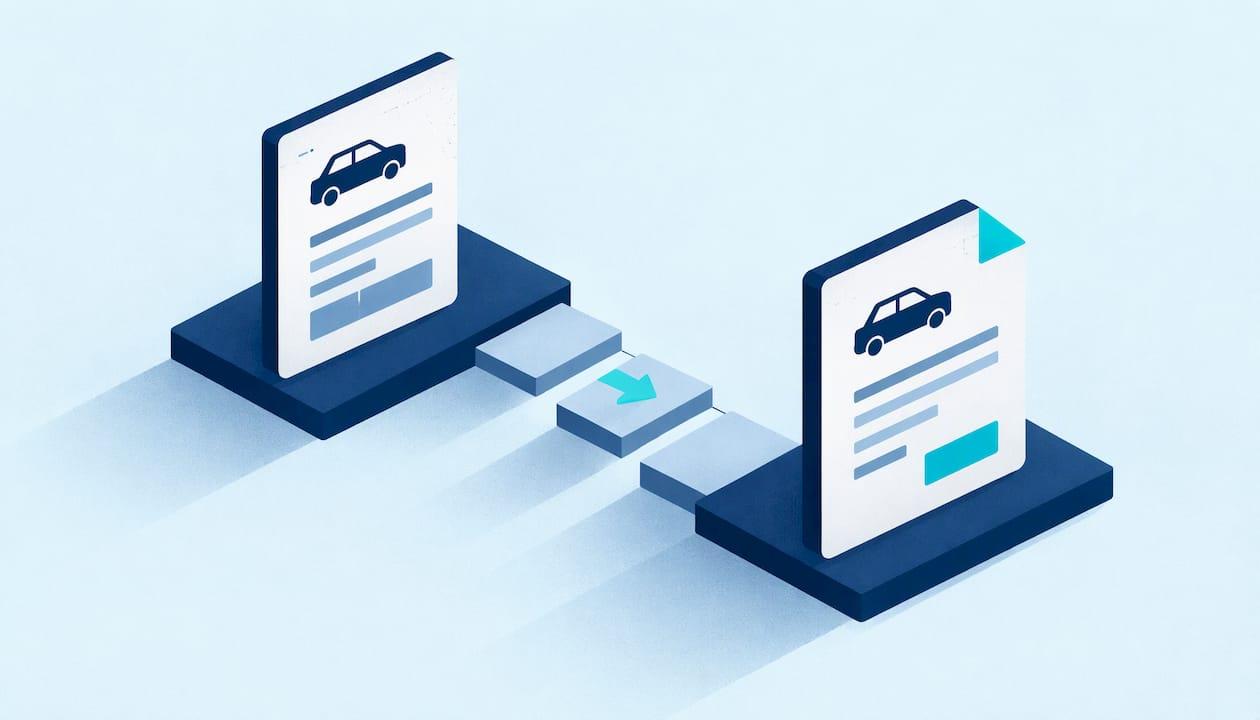
The best estimate-to-invoice workflow is one where nobody retypes anything. You build the estimate once, the customer approves it in writing, every change gets its own approval, and the invoice is that same approved document plus a due date and payment terms. When the invoice matches what the customer agreed to, it gets paid. When it doesn't, you spend your evening on the phone. Mobile Detail AI is built around this chain: scheduling, customer records, invoicing and secure payments live in one CRM, so the job record, the price and the bill stay together.
TL;DR
- An estimate is a price before the work, an invoice is a request for payment after it, and a receipt confirms the money arrived. Keep them as one connected record.
- Write the invoice from the estimate the customer approved, never from memory.
- Any add-on or scope change needs its own written yes before the extra work starts.
- Add the invoice-only fields (number, issue date, due date, payment terms, accepted payment methods) and send it as a trackable link.
- Close the loop: record the payment, send a receipt, and log the job against the vehicle so next time starts from history.
Table of Contents
- Estimate, quote, invoice, receipt: what each one does
- What a detailing estimate needs before it goes out
- The estimate-to-invoice workflow, step by step
- Worked example: an add-on and a deposit
- Handling changes without starting a dispute
- When to convert, and why the estimate can't be the invoice
- How this fits the bigger quote-to-cash picture
- For car owners: what a clean paper trail gives you
- Our perspective
- Put the workflow in one place
- FAQ
- Sources
Estimate, quote, invoice, receipt: what each one does
These four words get used interchangeably on driveways, and that is where trouble starts. They do different jobs.
| Document | When | What it says | Asks for money? |
|---|---|---|---|
| Estimate | Before the work | Approximate price, can change if the vehicle turns out different | No |
| Quote | Before the work | Fixed price for a defined scope, with an expiry date | No |
| Invoice | After the work (or at a milestone) | Formal request for payment with a due date | Yes |
| Receipt | After payment | Proof that money was received | No |
The distinctions come from standard business-document guides: an estimate is non-binding and its price can change, while a quote is a fixed-price offer that becomes binding once accepted. In detailing, you often start with an estimate because you haven't seen the paint, the pet hair or the headliner stains. Once you've inspected the vehicle, the cleanest move is to turn that estimate into a fixed-scope quote the customer approves.
The order never changes: estimate or quote, then invoice, then receipt. Skip one and you get the classic problems: a customer who says "you told me about $200," or a payment nobody can match to a job.
What a detailing estimate needs before it goes out
A clean invoice is only possible if the estimate was complete. Treat the estimate as the contract the invoice will later copy. For a detailing job, that means:
- Customer and vehicle: name, phone, email, year, make, model, and where the job happens (home driveway, office lot, fleet yard).
- Service package and scope: what is included, named plainly (interior detail, exterior wash and decontamination, one-step polish, ceramic coating).
- Exclusions: what is not included, such as heavy pet hair, biohazard cleanup, or paint correction beyond a stated level.
- Line-item pricing: every service and add-on priced separately so the total is easy to follow.
- Travel or service-call charges, if you charge them.
- Estimate number, date and expiry date.
- Payment terms: deposit amount, when the balance is due, accepted payment methods.
- How the customer approves: a tap on an approval link, not a verbal "sounds good."
This lines up with what regulators expect of service businesses. California's Bureau of Household Goods and Services, for example, requires written repair estimates to list all parts and labor, any service call charge and any travel cost. That rule is California's, not Arizona's, but it shows the standard customers have come to expect from a professional.
We built a short guide to the six fields every detailing estimate needs if you want a template to work from. And if your prices themselves are shaky, start with detailing pricing strategies and your real costs before you worry about paperwork.
One habit pays off more than any field: before you send, open the document the customer will actually see. Your internal record can be complete while the customer's copy hides the exclusions or the total. Check scope, exclusions, options, total, expiry and the next action on their version.
The estimate-to-invoice workflow, step by step
Here is the routine, with where each step tends to go wrong.
1. Capture the request and inspect
Get the vehicle details, photos if possible, and the customer's main concern. The mistake here is pricing from a one-line text ("how much for a full detail?") without knowing the vehicle size or condition. A sedan with light dust and an SUV with three child seats' worth of crushed snacks are not the same job.

Our platform gives customers instant booking and personalized service recommendations, so the vehicle and service request arrive attached to the booking rather than scattered across texts and DMs.
2. Send a versioned estimate
Number it, date it, give it an expiry date, and list the line items. Keep version one on file even if you revise later. A numbered history protects you: it shows the price moved because the scope moved, not because you padded it.
3. Get a recorded approval
Approval should be dated and tied to a specific version. If a customer accepts by phone, note who accepted, when and what they agreed to. A customer editing the price or scope in a reply is not a yes: send a revised version and get that version accepted. A call from the driveway is not a record.
4. Collect a deposit if your policy calls for one
A deposit reduces no-shows and covers your travel and materials. The trap is forgetting it when you bill, so the customer pays the full amount twice or argues about the balance. Our guide on setting an appointment deposit policy that works covers amounts and wording.
5. Schedule and do the work
This is where estimates drift. You find pet hair, a stained seat, or the customer asks for headlight restoration while you're there. Each of those becomes a change, covered in the next section.
6. Build the invoice from the approved estimate
The rule is simple: never write the invoice from memory. Open the approved estimate and convert it. Client details, line items and amounts carry over, plus any documented changes. What is new on the invoice:
- A unique invoice number
- Issue date
- Due date
- Payment terms
- Accepted payment methods
Remove estimate-only language such as validity dates and "approximate" wording, and double-check tax and totals. A good test: a customer comparing the invoice to the approved estimate should see the same descriptions, line for line. The invoice should be the estimate they approved, plus changes they agreed to, plus the fields that get you paid, and nothing invented at the last minute.
If you want to see how this looks for detailers specifically, our four-step billing workflow for detailers walks through it, and the mobile detailer invoicing templates show how to collect payment in minutes.
7. Send it as a trackable link
A blind PDF tells you nothing. A link tells you when the customer opened it, so a follow-up is a response to a fact rather than a guess. Send it the same day while the clean car is still fresh in their mind.
8. Collect, record and send a receipt
When payment arrives, record it against the invoice. The receipt should show the amount, date, method, the invoice number it applies to and any remaining balance. Matching numbers is what lets you reconcile later without detective work.
9. Log the job to the vehicle
The workflow doesn't end at payment. Services performed, products used and photos become the vehicle's history. That record makes the next estimate faster and more accurate, and it gives the customer proof of what was done.
Worked example: an add-on and a deposit
This is an illustration with made-up numbers, not a price recommendation.
A customer approves estimate #1042 for an interior and exterior detail at $240. You collect a $50 deposit at booking. During the interior work you find heavy pet hair and propose a $35 pet-hair removal add-on. You text the approval link for a revised estimate (#1042 Rev. 2), and the customer taps approve before you start that part.
The invoice then reads:
| Line | Amount |
|---|---|
| Interior and exterior detail (Estimate #1042) | $240.00 |
| Pet-hair removal (approved in Rev. 2) | $35.00 |
| Total | $275.00 |
| Deposit paid | -$50.00 |
| Balance due | $225.00 |
Every line traces back to something the customer saw and approved. Nothing is a surprise, which is the whole point.
Handling changes without starting a dispute
Changes are the most common reason an invoice doesn't match the estimate. The protocol depends on timing:
- Before the customer accepts: send a new version listing what changed and how it affects the price. Keep the old one.
- After acceptance, before work starts: issue a replacement with a new number or revision, reference the original, and get a fresh approval. A numbered revision beats deleting the original because the history stays intact.
- After work has started: leave the accepted estimate alone and record each addition as a separate approved line or change before the extra work begins.
Put a change clause in the original estimate: extra work needs written approval and will be priced as stated. A customer who saw the process in advance rarely objects to it later.
The same logic applies to matching what you bill to what you quoted. Shops that do repair work face the identical problem, and this explanation of matching invoice lines to quotes shows why customers trust a bill they can compare line by line with the number they approved.
When to convert, and why the estimate can't be the invoice
An estimate cannot stand in for an invoice. It is a projection, and an invoice is a statement of what is owed for work actually done. For a service like detailing, convert once the work is finished and the customer has seen the result, or at an agreed milestone for multi-day jobs such as a ceramic coating with paint correction.
Before converting, check that quantities and add-ons match what you delivered, change the title from "Estimate" to "Invoice," add the number and terms, and send. For multi-stage work you can invoice a percentage up front and the rest at completion, as long as the estimate said so.
How this fits the bigger quote-to-cash picture
If you've heard the phrase "quote to cash," it simply describes the whole journey: quote, approval, work, invoice, collection and reconciliation. The process isn't finished when the invoice goes out. It finishes when the payment is recorded against it.
The practical lesson is that most payment disputes trace back to an earlier mistake: a vague estimate, an unrecorded change, a mismatched invoice. Fix the front end and collections take care of themselves. Keep your records, too: the IRS asks businesses to keep key financial and employment tax records for at least four years, according to Xero's invoicing guide.
Fleet customers add a wrinkle: they pay on terms, often 30 to 60 days. Our guide to fleet billing for detailers covers how to pilot that without letting cash flow stall, and piloting fleet detailing management with three real vehicles shows how to start small.
For car owners: what a clean paper trail gives you
If you're the customer, the same workflow protects you. A good detailer's estimate lists what is included and excluded, shows the total and says how changes are approved. Your invoice should match it, and your receipt should name the invoice it settles. Keep these together with the service history of your vehicle: the next detailer, or a buyer, will want to know what was done and when. Through Mobile Detail AI, you can find vetted detailers, book instantly and keep that history in one place.
Our perspective
Most detailers don't lose money on the work. They lose it in the gaps between the work: the add-on agreed in a text that never made it to the bill, the deposit nobody subtracted, the invoice typed from memory two days later.
We built Mobile Detail AI so those gaps close. Scheduling, customer records, invoicing and secure payment processing sit in one CRM designed for detailing businesses, with route optimization and visual scheduling so the day runs as planned. When the booking, the job and the bill are one record, the invoice is a copy of what the customer already approved, and complete vehicle history tracking means the next estimate starts from facts rather than guesses.
That is true for a solo detailer with one van and for a multi-van operation or franchise that needs centralized operations. The routine is the same; the software just keeps it from depending on anyone's memory.
Mobile
Put the workflow in one place
Mobile Detail AI offers detailers three plans, published on the provider subscription page: CRM-Only at $1 per month, Marketplace at $59 per month and Preferred at $139 per month. The CRM covers visual scheduling, customer management, invoicing and business analytics, so the estimate-to-invoice routine above lives in one system instead of across notes, texts and spreadsheets.

Car owners can browse vetted detailers across interior, exterior, polishing, ceramic coating and more on the discover page, or start at Mobile Detail AI.
FAQ
Can an estimate be used as an invoice?
No. An estimate is an approximate price before the work, while an invoice is a formal request for payment for work delivered. You can convert one into the other, so line items and customer details carry over, but the invoice needs its own number, date, due date and payment terms.
When should I convert an estimate into an invoice?
Convert when the work is finished and the customer has accepted the result, or at an agreed milestone on longer jobs. Before sending, confirm that every line matches what you delivered and that each change has a documented approval.
What should I do if the customer wants extra work mid-job?
Stop and get a written yes on the added item and its price before doing it. Record it as a revision or separate approved line, then bill it with the original scope. A verbal okay is hard to prove later.
What is the difference between an estimate and a quote?
An estimate is an approximate price that can change if the scope does. A quote is a fixed price for a defined scope, usually with an expiry date, and it becomes binding once accepted. Many detailers send an estimate first and a quote after inspecting the vehicle.
Sources
- Write It Right! – California Bureau of Household Goods and Services
- Quote vs Estimate vs Invoice: What's the Difference? | Aviy
- How to Revise an Estimate When a Customer Changes the Scope | Trusso
- What is the invoicing process? Key steps and tips | Xero US