
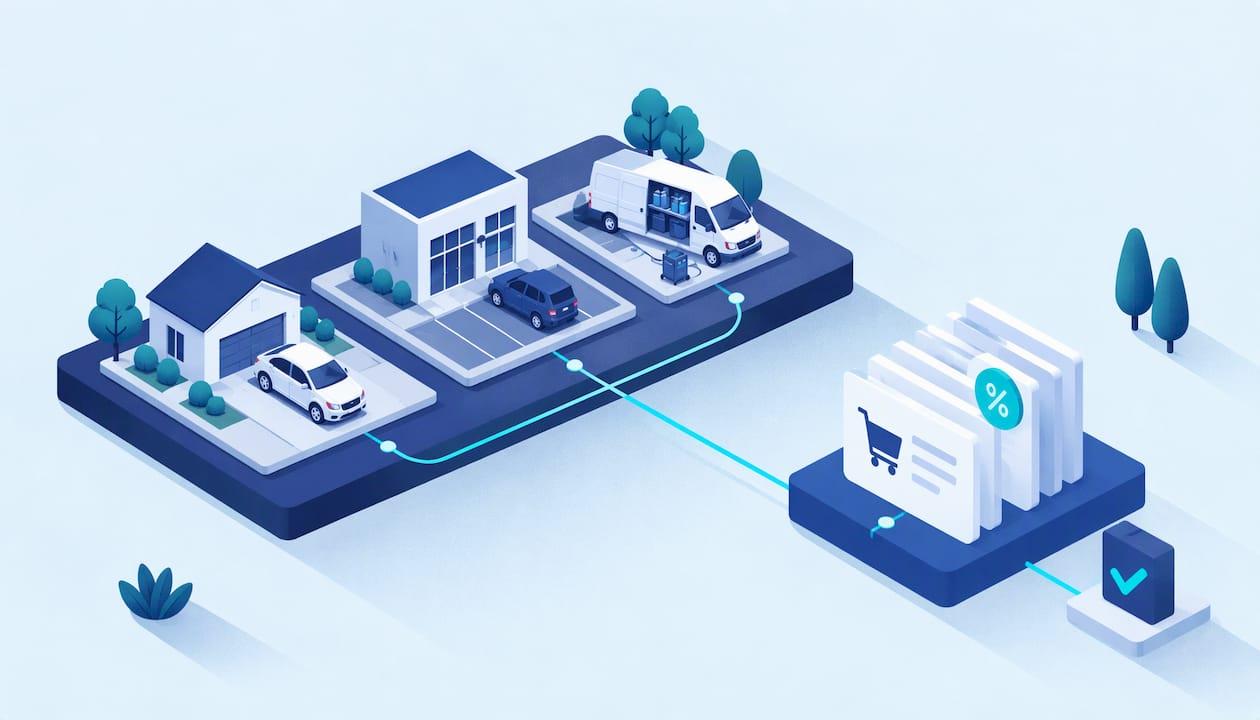
Sales tax automation is software that works out which tax applies to each sale, collects it, files the returns and keeps the paper trail. For a detailer, the tool only works as well as the job records feeding it: the address of every job, the service sold, the invoice and the payment. Get those right in one place and automation becomes a small monthly task instead of a quarterly scramble. Mobile Detail AI puts scheduling, customer management, invoicing and payments in one CRM, so the records are already together.
This guide is written for mobile detailers, multi-van owners and franchise operators, with Arizona as the worked example. If you are a car owner, the last section explains what the tax line on your invoice means.
TL;DR
- Sales tax automation covers four jobs: tracking where you owe tax, calculating the right rate on each sale, filing and paying returns, and storing records for an audit.
- It is a tool, not a "set it and forget it" fix. You still decide what you owe tax on and review what the software files.
- A mobile business sells at the customer's address, so rates can change from job to job. Arizona's state rate is 5.6%, and cities and counties add their own.
- Clean job, invoice and payment records are what make any automation accurate and audit-ready.
- Our plans start at $1 per month for the CRM, $59 per month for Marketplace and $139 per month for Preferred.
Table of Contents
- What sales tax automation actually does
- Why mobile detailers feel this more than a shop
- Where automation helps and where it stops
- The records that make automation accurate
- A monthly routine for a detailer
- What to look for in a sales tax tool
- What it costs, and what it saves
- Doing the work in one platform
- Our view: tax compliance is a records problem first
- What the tax line means for car owners
- FAQ
- Sources
What sales tax automation actually does
Sales tax automation is technology that tracks where a business owes tax, registers it for permits, applies the correct local rate at checkout and sends payments to state authorities, according to Stripe's guide to the topic. The same guide describes compliance as a recurring routine across every jurisdiction where you sell: monitoring and registration, calculation and collection, filing and remittance, and audit readiness.
In plain terms, "nexus" is the connection to a state that obliges you to collect its tax. "Remittance" is paying the tax you collected to the state. "Jurisdiction" means the state, county or city that levies the tax. Once you know those three words, most vendor pages become readable.
A tax professional's six-step breakdown shows where software fits:
- Monitor nexus. Track sales into each state against its threshold, plus physical presence such as staff or inventory.
- Register. Get a sales tax permit before you collect in a state.
- Calculate and collect. Charge the right state and local rate based on the delivery address and the product.
- File. Submit a return to each state on its assigned schedule.
- Remit. Pay by each state's deadline.
- Keep records. Store transactions, exemption certificates, returns and payment proofs.
For a detailer working inside one state, steps 1 and 2 are usually settled once. Steps 3 to 6 repeat every month, and they are where mistakes pile up.
Why mobile detailers feel this more than a shop
A shop sells from one address with one combined rate. A van does not. Every job happens at a customer's home, office or parking garage, and in a state like Arizona the rate depends on the city or county where the work is performed.
Arizona shows how this plays out. The Arizona Department of Revenue publishes a rate table effective October 1, 2026 that combines the state's 5.6% transaction privilege tax (TPT) with county rates and lists city rates separately. TPT is Arizona's version of a sales tax: a tax on doing business in the state that most businesses pass through to customers. The department revises the table, so check the current edition before you set rates, and treat any figure in an older article as a snapshot.
A two-van operation that books jobs in Phoenix, Mesa and Scottsdale in one week is working with several city rates. If an invoice template uses one flat rate, some jobs are over-collected and some under-collected. The under-collected ones become your liability at filing time.
Our Arizona guides cover the local mechanics in depth: five steps for TPT and city rates, the licensing sequence from tax to stormwater and an inspection-ready checklist.

Where automation helps and where it stops
The benefits are real. A Journal of State Taxation article lists simpler compliance, a lighter burden and lower cost. A Thomson Reuters Tax & Accounting piece estimates that a mid-sized business across 10 or more states can spend 15 to 20 hours a month on rate research, filing preparation and reconciliation. A solo detailer in one state will spend far less, but the same tasks exist at a smaller scale.
The same sources are clear about the limit: automation is a technology tool, and it does not replace understanding your own footprint. A 2026 guide on the topic adds that software does not decide your legal obligations on its own, does not make every product classification correct and does not remove the need to review data and returns.
For a detailer, that means four things stay with you:
- Deciding what is taxable. A wash, a ceramic coating, a window tint and a vinyl wrap may not all be treated alike. Confirm each service category with the Arizona Department of Revenue or your accountant, then set it once in your system.
- Giving the system a correct address. The rate follows the job location. A wrong or missing address gives a wrong rate.
- Reviewing before you file. Skim the return against your own monthly sales.
- Keeping your permit current. Registration is yours to hold.
The records that make automation accurate
Every tax engine, whether a cloud tool or something your accountant runs, needs the same inputs. Professional guidance puts it simply: the source system must pass the correct data elements to the tax engine. BDO's Sales Tax Corner names integration testing as a required phase for exactly that reason.
For a detailing business, the data elements are:
| Record | Why the tax process needs it |
|---|---|
| Job address | Sets the city and county rate |
| Service line items | Lets you separate taxable and non-taxable work |
| Invoice number and date | Puts the sale in the right filing period |
| Customer name and type | Flags business customers who may have exemption paperwork |
| Payment record | Proves what was collected and when |
| Tax collected per job | Reconciles to the return you file |
This is the part of the problem where a detailing-specific platform earns its place. Our CRM keeps customer management, scheduling with route planning, invoicing and secure payment processing together, so each job leaves one connected trail instead of a text thread, a notes app and a card-reader statement. If you want a simple invoice routine to start with, see our invoicing templates for collecting payment fast.
A monthly routine for a detailer
Whether you automate fully or partly, this routine keeps the books clean.

1. Confirm your registration and filing schedule
Arizona assigns each licensee a filing frequency. Confirm yours on your TPT license account and note the due dates in your calendar. Do this once a year, or when your volume changes.
2. Set rates by job location, not by your home base
Look up the rate for each city you serve in the Arizona rate table. If you routinely work three or four cities, write them down in one reference sheet or load them into your tax tool. Update it whenever the department publishes a new table.
3. Invoice every job the same day
Same-day invoices keep the sale in the correct period and tie the tax collected to a real job. Late invoices are how a Friday job ends up in next month's return.
4. Reconcile weekly
Compare invoiced sales with payments received, then compare tax collected with what the rates say it should be. A weekly check takes minutes. A year-end check takes days.
5. Review the return before it goes out
Even an automated filing deserves a look. Compare the sales total on the return with your monthly revenue. If they differ, find out why before you submit.
6. Archive everything
Keep invoices, returns and payment proofs together. The Stripe guide describes a centralized, audit-ready trail as one of the main reasons to automate, and a tidy job history is the raw material for it.
What to look for in a sales tax tool
If you decide to add a dedicated tax tool, Baker Tilly's guidance lists the features to weigh: accurate calculation based on the latest rates and rules, jurisdiction coverage, customization, exemption management, nexus monitoring, reporting and integration capability.
Translated for a detailer:
- Local rate accuracy. It must handle city-level rates in the places you work.
- Integration. It should accept data from the system where you invoice, so you do not retype anything. KPMG notes that a business system needs to connect with a tax engine to automate calculation, exemption handling and return creation.
- Exemption handling. If you serve fleets, dealerships or other businesses that buy for resale, you may collect exemption certificates. Tools that validate, collect and store them keep the paper trail audit-ready.
- Reports you can read. You should be able to see what was collected, by period and location.
Before you go live, test it. BDO recommends unit, integration and user testing: run a handful of real past jobs through the setup and confirm the tax matches what you expect.
What it costs, and what it saves
Prices vary widely by volume and complexity, so treat published figures as examples, not quotes. The Journal of State Taxation article cites development costs of $75,000 to $250,000 and more for the connectors that early adopters needed, which is the enterprise end and is why off-the-shelf tools exist. At the small-business end, an Avalara and Potentiate survey reported in Avalara's compliance guide found that businesses with 20 to 499 employees estimate spending an average of $1,740 per month identifying state obligations and filing requirements.
The cost of getting it wrong is also worth weighing: Thomson Reuters notes that a single audit can run into tens of thousands of dollars in penalties, interest and outside counsel fees. A solo detailer's exposure is smaller, but an under-collected rate comes out of your pocket, not the customer's.
Doing the work in one platform
The common thread in every source above is that automation is only as good as the data it receives. That is why we built the detailer's workflow around one record per job.
Mobile Detail AI is a booking marketplace and a CRM for detailers, from solo operators to multi-van businesses and franchises. The CRM includes visual scheduling, route optimization, customer management, invoicing, secure payment processing and integrated business analytics. Customers book instantly, and every vehicle keeps a service history, so you can see what was done and when.
Plans for detailers, as published on our site:
- CRM-Only: $1 per month
- Marketplace: $59 per month
- Preferred: $139 per month
Compare them on the provider subscription page. Franchise owners who want every location running the same way can use the same CRM to keep operations centralized.

If you run more than one van, the weekly reconciliation in the routine above gets easier when every crew invoices through the same system. The workflows guide shows how to tie standard procedures to scheduling and reviews.
Our view: tax compliance is a records problem first
Most detailers we talk to think of sales tax as a filing problem. We think of it as a records problem. By the time a return is due, the hard part is already done or already wrong: was the job address captured, was the invoice sent the same day, was the payment matched to it?
That is why we built invoicing, payments, scheduling and customer history into one CRM. A detailer who works from a single job record has the inputs any tax process needs, whether a person or software prepares the return.
Our advice is to start with the routine, not the tool. Invoice on the day of the job, record where the work happened, and reconcile weekly. Then add whatever tax automation fits your volume. The routine is what keeps you audit-ready.
Mobile
What the tax line means for car owners
If you are booking a detail, the tax line on your invoice is the detailer's collection of the applicable state and local tax on the service. Because a mobile detailer comes to you, the rate can differ from a shop across town. When you book through Mobile Detail AI you pay the detailer for the service, and the vehicle's service history stays with your account for the next appointment. You can browse vetted detailers by service on the discover page.
FAQ
Is sales tax automation worth it for a solo mobile detailer?
It is worth it when manual rate lookups and filing prep start to cost real time or cause errors, for example when you work in several cities. A single-city operator may only need a clean invoicing routine and a reference sheet. Either way, the same records feed any tool you add later.
Does automation file my returns without my input?
Some tools prepare and file returns, but they do not take over your responsibility. They rely on your data and your decisions about what is taxable, and a 2026 industry guide says review of data and returns is still needed. Check each return against your own monthly sales before it goes out.
What is nexus, and does it matter if I only work in Arizona?
Nexus is the connection that obliges you to collect a state's tax. If every job is in Arizona, your main concern is your Arizona registration and local rates. If a van ever works across a state line, physical presence such as staff or equipment can create obligations there, so ask a tax professional before you take jobs outside Arizona.
What records should I keep for an audit?
Keep transactions, invoices, exemption certificates, returns and payment proofs, as the six-step process describes. Store them where you can pull a job's address, service and payment together in a minute. Ask your accountant how long to retain them for your situation.
Sources
- What is sales tax automation? (Stripe)
- Automate US Sales Tax Filing in Every State (Taxually)
- Arizona transaction privilege tax rate tables, effective October 1, 2026 (Arizona Department of Revenue)
- Benefits and Limitations of Sales Tax Automation (Journal of State Taxation)
- When to invest in sales tax automation software (Thomson Reuters Tax & Accounting)
- What Is Sales Tax Automation Software? 2026 Guide (TaxAIs)
- Sales Tax Corner (BDO)
- Sales tax assessment and automation (Baker Tilly)
- Automated Indirect Tax Determination and Reporting (KPMG)
- Tax Automation Software: A Buyer's Guide (Stripe)
- 5 Steps to Managing Sales Tax Compliance (Avalara)