
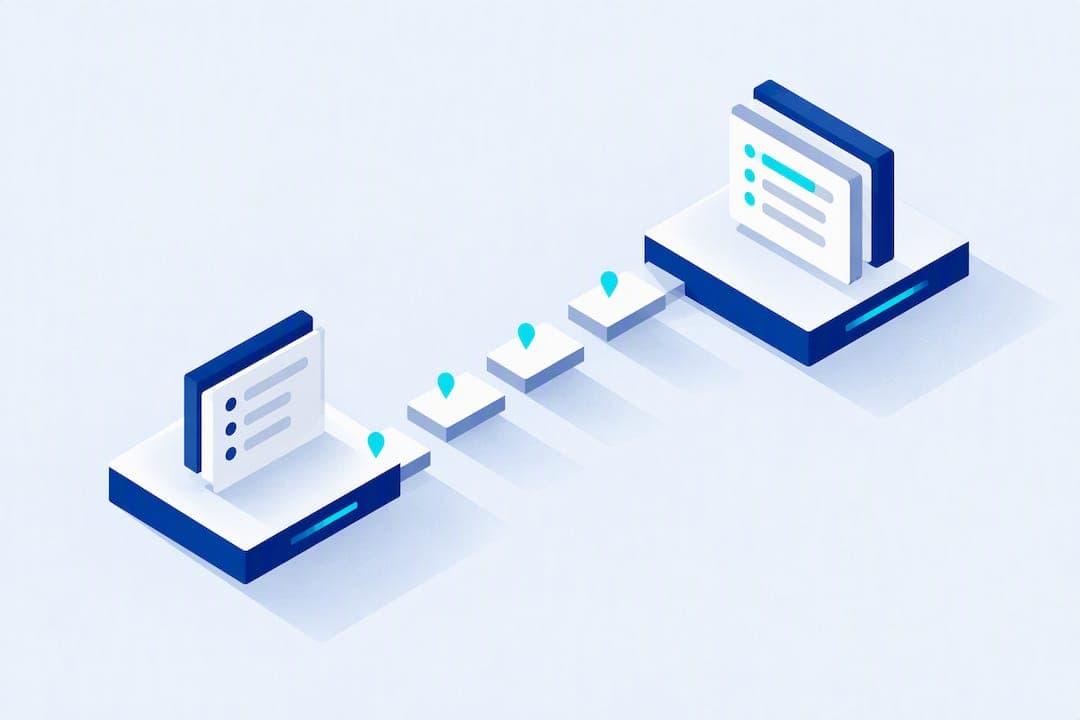
Detailing businesses should offer real-time service updates because they cut inbound status calls and build the kind of trust that turns one-time customers into repeat ones. The fastest path is automated SMS and in-app progress alerts tied to your CRM's job-stage triggers, covering booking confirmation, en route or ETA notice, a live progress bar, and a completion alert. Platforms like Mobile Detail AI build this directly into scheduling, so you are not stitching it together from scratch.
TL;DR:
- Real-time updates, especially en route alerts, significantly reduce inbound customer calls and improve technician focus by providing clear progress information.
- SMS is the most reliable channel for urgent updates due to its universal reach, while in-app notifications and emails serve richer content like photos and receipts.
- Setting up automated messages requires auditing existing systems, mapping triggers, and training staff, with full automation achievable within days or weeks depending on infrastructure.
- Limiting messages to four per job, including clear next steps and opt-out options, maximizes customer engagement without overwhelming recipients.
- Tracking key performance indicators such as customer satisfaction, repeat bookings, and inbound call volume helps monitor the success of the update system from the start.
Table of Contents
- Why real-time updates matter for detailing operations and customer experience
- What to include in real-time service updates
- Building your real-time update system: a step-by-step checklist
- Writing update messages customers actually read
- Measuring success: KPIs to track after rollout
- Why we built real-time updates into the platform
- How Mobile Detail AI supports real-time updates
- Sources
- FAQ
Why real-time updates matter for detailing operations and customer experience
Customers already expect to track a service the way they track a delivery. Over a third of customers want the ability to actively monitor their vehicle's status during service, with SMS and app notifications as the preferred channels, according to Capgemini's automotive customer experience research. That demand does not go away because a detailer works out of a van instead of a dealership bay.
The payoff shows up in satisfaction scores too. Customers who go through an all-digital service journey report satisfaction that is 75 points higher on a 1,000-point scale than those stuck with an all-analog experience, per J.D. Power data. On the operations side, fewer "where's my car" calls mean technicians stay focused on the vehicle instead of the phone, and a shop can move more jobs through a shift without adding staff.
More than a third of customers want active status tracking during service, according to Capgemini. If your booking flow does not already ask which channel a customer prefers, that is the first gap to close.

What to include in real-time service updates
A complete update sequence covers five moments in the customer's timeline, and each one earns its place because it answers a specific question the customer would otherwise call to ask.
- Booking confirmation: confirms the appointment window and technician assignment right after checkout.
- En route or ETA notice: a map-based alert when the technician is on the way, similar to a delivery tracker.
- Progress updates: a simple stage indicator (arrived, washing, interior, final inspection) sent as the job moves.
- Completion alert: tells the customer the vehicle is ready, with photos if the platform supports them.
- Payment and receipt: confirms the charge and closes the loop.
Channel choice matters as much as content. SMS reaches almost everyone and needs no app download, which makes it the default for time-sensitive alerts. In-app notifications carry richer detail, service history, and photos, but only reach customers who installed the app. Email works well for receipts and summaries but is too slow for anything urgent. Capture a customer's preferred channel at booking and plan to offer at least two, since Capgemini's research found customers expect a mix that can include messaging apps as well.
Building your real-time update system: a step-by-step checklist
Getting from "no updates" to "fully automated" does not require a rebuild of your entire operation. It requires connecting systems you likely already have.
- Audit your current data sources: booking system, schedule board, technician GPS or check-in app, CRM job-stage flags, and payment processor.
- Pick an integration approach: use a SaaS platform's native notification features, connect via webhooks to an SMS gateway like Twilio, or rely on a marketplace's built-in hooks if you list on one.
- Map triggers to messages: a job status change to "en route" fires the ETA text, a status change to "complete" fires the pickup alert.
- Assign ownership: someone on staff (often the technician or a dispatcher) confirms status changes if your system is not fully automatic.
- Build a manual fallback: a simple text template for when GPS or the app fails, so no customer is left guessing.
- Train staff on the new workflow: a short session covering what triggers what and how to override a message if a job runs long.
Timeline and cost depend on your starting point. A shop using a platform with native update features can be live within days, since the notification logic already exists behind the scheduling tool. A custom build using webhooks and a separate SMS gateway typically takes several weeks and adds ongoing gateway fees on top of your subscription. Either way, budget for staff training time, since the technology only works if your team actually updates job stages promptly.
Pro Tip: Pilot the new update flow with one technician crew and one service type for two weeks before rolling it out shop-wide. It is easier to fix a broken trigger on ten jobs than on two hundred.
Writing update messages customers actually read
A good status message answers three questions in one line: what happened, when the next thing happens, and what the customer should do if anything. "Your detailer is en route, arriving by 2:15 PM. Track live here." does more work than a generic "your appointment is confirmed."
- Keep messages under 160 characters for SMS so they do not split into multiple texts.
- Always include a next step or a link, never just a status with no context.
- Send a maximum of four messages per job (confirmation, en route, in progress, complete) unless the customer opts into more.
- Offer a clear opt-out line in the first message, and honor it immediately.
- Have a plain-language error message ready for GPS or system failures, such as a short delay notice, instead of going silent.
Capture channel consent at booking with a simple checkbox for SMS, email, or app push, and keep a record of that preference in the customer's profile. This is operational guidance, not legal advice, so confirm your consent language with counsel familiar with messaging regulations in your state. A multichannel approach that lets customers pick their own mix is now close to the baseline expectation, per Capgemini's trend research, not a premium feature.
Measuring success: KPIs to track after rollout
Three categories of metrics tell you whether the rollout is working, and you should track all three from week one rather than waiting for a quarterly review.
- Operational: inbound status calls per week, technician utilization, and on-time completion rate.
- Customer: satisfaction scores, repeat booking rate, and conversion from quote to paid job.
- Engagement: message open or click rates and opt-out rates, which flag whether you are sending too much or too little.
A reduced volume of inbound status calls is often the fastest internal number to point to when justifying the setup cost, since it shows up almost immediately after launch. To test cadence or channel mix, run a simple split: send one group the standard four-message sequence and another group an added mid-job update, then compare call volume and satisfaction after two weeks.
Why we built real-time updates into the platform
We designed Mobile Detail AI's update system because detailers kept describing the same problem: customers calling mid-job to ask where the technician was, which pulled attention away from the vehicle in front of them. Once a shop turns on automated booking, en route, and completion alerts, that call volume tends to drop fast, and customers rebook more often because they are not left guessing.
[brand_signal: customer satisfaction and repeat booking data specific to Mobile Detail AI providers]

[brand_signal: case study from a multi-van detailing operation using the CRM's automated triggers]
The quickest win most providers see is simply turning on the en route alert. It is the message customers notice most.
— Mobile
How Mobile Detail AI supports real-time updates
Running real-time updates well means your scheduling, technician tracking, and messaging all live in one place instead of three disconnected tools, similar to platforms like Carvia's vehicle-centric dealership workspace. Mobile Detail AI's CRM ties intelligent scheduling, route optimization, and vehicle history tracking to the same triggers that fire your customer notifications, so a job-stage change updates the customer without a separate manual step.
| Feature | What it does for update workflows |
|---|---|
| Intelligent scheduling | Sets job stages that automatically trigger status messages |
| Route optimization | Feeds accurate en route and ETA data to customers |
| Vehicle history tracking | Gives customers context alongside each update |
| Marketplace booking | Captures channel preference at the point of booking |
Detailers can compare the CRM-Only, Marketplace, and Preferred plans to see which tier fits their update and scheduling needs. Current prices are available on the pricing page. Providers who also want to list detailing packages, from interior and exterior detailing to ceramic coatings, can review the marketplace discovery page to see how services and status updates appear to customers browsing for a detailer.
Sources
- Transforming automotive customer experience with Salesforce Automotive Cloud and Data Cloud – Capgemini
- Top 5 service features — CDK Global (white paper)
- Service departments lagging in communication with vehicle owners, J.D. Power finds — Automotive World
FAQ
What are the best notification channels for detailing updates?
SMS reaches nearly every customer without an app download, making it the default for urgent alerts like en route notices. In-app push and email work well for richer content like photos and receipts, and offering at least two channels matches what customers expect, according to Capgemini.
How much does it cost to add real-time updates to a detailing business?
Cost depends on whether you use a platform with built-in notification features or build a custom system with a separate SMS gateway. Mobile Detail AI's CRM-Only plan starts at $1 per month, with Marketplace and Preferred tiers adding more automation and listing features.
Do real-time updates actually reduce customer calls?
Yes, operators consistently report that automated progress alerts and en route tracking cut down repetitive "where is my detailer" calls, freeing technicians to focus on the vehicle. Real-time progress bars and text updates also score high in customer preference, with CDK Global reporting strong "love it" ratings for both features.
What should a status update message actually say?
An effective message states what happened, when the next step occurs, and includes a link or clear action, such as "Your detailer is en route, arriving by 2:15 PM. Track live here." Keeping messages short and limiting them to about four per job avoids overwhelming customers while still keeping them informed.
How do I get customers to opt into real-time updates?
Add a simple channel preference checkbox (SMS, email, or app) at the booking step and store that choice in the customer's profile. Always include an opt-out option in the first message and honor requests to stop immediately, and confirm your specific consent language with legal counsel for your state.