
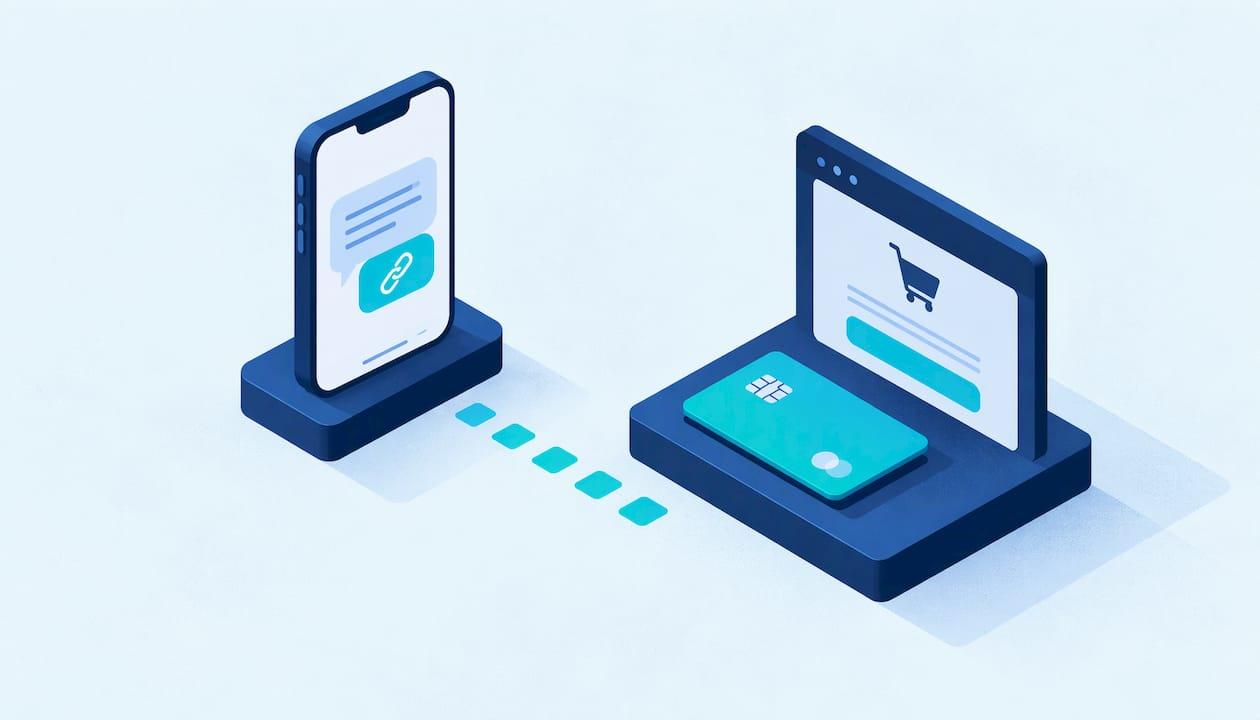
A payment link by SMS is a text message containing a unique web address that opens a secure checkout page on the customer's phone. They tap it, pay by card or wallet, and you get a confirmation. No terminal, no website and no app download is needed. For a mobile detailer finishing a job in someone's driveway, it is the fastest way to turn a finished car into money in the bank. For a car owner, it is a safe way to pay as long as you know the few checks that separate a real link from a scam.
This guide covers both sides: how the flow works, how to send a link that gets paid, what to write in the message, what to do when it fails, and how to tell a legitimate link from a fake one.
TL;DR
- A payment link is a unique URL tied to one payment request. The text is only the delivery channel, and the payment happens on a secure page hosted by the payment provider.
- To send one: create the request with the amount, add the customer's mobile number, send it, and watch for the confirmation in your dashboard.
- Keep the message short, name the business and the service, state the amount, and make the link the only thing in it.
- Customers should check that they expected the text, that the sender is recognizable, and that the link's domain matches the business or a known payment provider. Unsure? Call the business on a number you already have.
- If a text is a confirmed scam, forward it to 7726 and report it to the FTC.
Table of Contents
- What a payment link by text actually is
- Why mobile detailers get paid faster by text
- How to send a payment link by SMS, step by step
- What to write in the text message
- When the text does not arrive or the payment fails
- Paying by text as a customer: how to check a link is real
- How detailers keep text payments safe and professional
- Where a detailing platform fits in
- FAQ
- Sources
What a payment link by text actually is
A payment link is a web address generated for one specific payment request. Open it and you land on a hosted checkout page where you can pay by card, bank transfer or digital wallet, depending on what the business has enabled. According to Wise's guide for US businesses, the customer does not need to download an app or create an account.
SMS is simply how the link travels. Sensitive card details never go through the text thread. The link opens a secure, encrypted page run by the payment provider, and that page handles the transaction. This is why a text can be a perfectly safe way to collect money: the message carries an address, not a card number.
The typical flow, as Checkout.com describes it, runs like this:
- The business creates a link for the customer and sets how long it stays valid.
- The customer has agreed to receive text prompts.
- The business sends the text with the link.
- The customer taps it, lands on a mobile-friendly page and enters card or wallet details.
- A confirmation arrives by text or on the page.
That is the whole thing. Its appeal is speed. On a mobile job, the customer is standing next to the car, phone in hand, and the work has just been approved.
Why mobile detailers get paid faster by text
Detailing is a job where the customer is often not home, is on a video call, or is walking out the door as you finish. Cash is rare. Handing over a card reader is awkward. Emailing an invoice means it sits under 40 other messages.
A text lands where people look first. Checkout.com's guide reports that 85% of US adults own a smartphone and SMS messages have a 98% open rate, which is a published industry figure, not a promise about your results. The practical point is simple: a text with a clear link is hard to miss.
There are four moments in a detailing job where a link works especially well:
- At booking, to collect a deposit that locks the slot. Our guide on setting an appointment deposit policy covers how much to ask and when.
- At completion, while the customer is looking at the finished paint.
- For add-ons, such as a pet hair removal upcharge you agree on while on site.
- For recurring maintenance clients, where a link or saved card keeps the routine frictionless.
How to send a payment link by SMS, step by step
The exact screens differ by provider, but the sequence is the same everywhere.
Step 1: Create the payment request
In your payment dashboard, create a new link and enter the amount. Many providers let you set a predefined amount or an open one. If you can, use a fixed amount. It removes any chance that the customer types the wrong figure, and some systems only support fixed amounts anyway, as Razorpay's US documentation notes.
Where it goes wrong: a vague description. Write the service on the request, for example Full interior detail, Tuesday, so the customer sees what they are paying for and the line item matches your records.
Step 2: Set an expiry
Set how long the link works. For a payment due on completion, a short window is plenty. Short expiry protects both sides: an old link floating around in a phone is a risk nobody needs. Some systems deactivate links after one payment and expire them after a fixed period such as 30 days, so check your provider's rules before you rely on a link staying live.
Step 3: Add the mobile number correctly
Enter the number carefully. Providers that send the SMS for you usually ask for the number in full, sometimes with a country code, and a short custom message. Acquired's documentation gives a message limit of 135 characters for its built-in SMS, with a default message used if you leave it blank. Limits like this exist everywhere, so keep your message tight.
Where it goes wrong: a mistyped digit sends your payment request to a stranger. Read the number back to the customer before you hit send.
Step 4: Send, then confirm delivery
Sending the link and the customer receiving it are two different events. Delivery depends on carrier networks, and N-Genius notes in its documentation that creating a link does not guarantee instant arrival. Ask the customer to glance at their phone. If nothing arrives within a minute or two, check the number and resend.
Step 5: Watch for the confirmation
When payment goes through, you should get a confirmation, see the payment in your dashboard, and have the funds paid out on the provider's schedule. The timing of that payout is set by the provider and your account settings, so look at it before you promise anything about cash flow.
What to write in the text message
A good payment text is short, specific and recognizable. The customer should know within a second who it is from, what it is for and how much it is. A reliable template:
Hi Maria, this is Desert Shine Detailing. Thanks for today! Your interior detail total is $185. Pay securely here: [link]
Why this works:
- Name first. A text from an unknown sender with a link is exactly what scam texts look like. Open with your business name and the customer's first name.
- Service and amount in the body. If the amount in the text matches the amount on the page, the customer relaxes. If it does not, they will, rightly, stop.
- One link, nothing else. No emojis chains, no promotions, no second link. Marketing texts belong in a separate message on a different day, and we cover what to send in our guide to SMS marketing for detailers.
- Under one text segment. Long messages can split, and a link that breaks across messages stops working. One troubleshooting guide notes that a link can break if the SMS goes over 160 characters, and the fix is to copy the full address from the message history into a new text.
Send payment texts only to customers who have agreed to receive texts from you. The simplest way is to ask at booking and record it. The same opt-in lets you send appointment reminders by SMS, which also cut no-shows.
When the text does not arrive or the payment fails
Most failures come down to a short list.
| Problem | Likely cause | What to do |
|---|---|---|
| Text never arrives | Wrong number, carrier delay | Verify the digits, resend, ask the customer to check spam or filtered messages |
| Link will not open | Message split or truncated | Send a fresh, shorter text with the full address |
| Link says expired or inactive | Past its expiry, or already paid once | Create a new link for the same amount |
| Card declined | Bank decline, wrong details | Ask the customer to retry or try another card or wallet |
| Money not showing | Payout schedule, account not fully activated | Check the dashboard status and your provider's payout timing |
The last row matters more than it looks. One provider's help center notes that a payments account that is not yet activated blocks card processing until it is. Before your first real job, send a link to your own phone, open it on your phone and a computer, and pay a small amount. Wise's guide recommends this kind of internal test, covering whether the link opens, the payment methods work and the confirmation appears.
Paying by text as a customer: how to check a link is real
If you are the car owner, tapping a link in a text from a business you hired is normal. Tapping a link in a text you did not expect is how people lose money. The same flow can be real or fraudulent, so use this quick check before you pay.
1. Did you expect it? A payment request should arrive right after you booked or finished a service with that business. An unsolicited request from a number you do not know is a red flag.
2. Is the sender recognizable? A legitimate business usually texts from a number or short code you can connect to them. SafeBrowz's smishing guide suggests checking that the sender is a short code or verified business number, not a personal or foreign number.
3. Does the link look right? Preview the full address without tapping it. It should be the business's own domain or a recognizable payment provider's page, starting with https. The same guide warns about lookalike domains and cheap endings such as .top, .xyz, .icu and .cfd.
4. Does the amount match? The page should show the total you agreed to, for the service you received. If it does not, stop and ask.
5. Still unsure? Go direct. Call the business on a number you already have, such as the one on their booking confirmation or website, not a number in the text. Consumer Reports advises contacting the apparent source through official channels when you are unsure about a text.
If a text turns out to be fake, Consumer Reports says to forward it to 7726, which helps your wireless carrier identify scammers, then block the sender and delete it. If you have been defrauded, call your bank using the number on the back of your card and file a report at ReportFraud.ftc.gov.

How detailers keep text payments safe and professional
Customers pay faster when they trust the message. A few habits do that work for you.
- Use a processor that hosts the checkout page. The customer's card number should be entered on the provider's secure page, never read to you or typed into a text. That keeps raw card data off your phone. Our plain-English guide to PCI compliance for detailers explains what that means for a small operation.
- Send links only to the person who booked. Confirm the name and number at booking, and keep both in your customer record.
- Use expiry dates. A link for today's job should not stay live for a month.
- Match your billing name. When the charge appears on a statement under a name the customer recognizes, there are fewer disputes.
- Offer a second route for larger jobs. For big ticket work such as ceramic coatings, some customers prefer a bank payment. Our guide to accepting ACH payments as a mobile detailer walks through it.
- Keep a paper trail. Link the payment to a customer record and a job, so an invoice, a payment and a service history live together. See our invoicing templates for what the invoice itself should say.
Where a detailing platform fits in
A payment link on its own solves one moment in the job. The rest of the workflow still needs to happen: the booking, the reminder, the intake details, the invoice, the payment and the record afterward. Doing each in a different app means retyping the same customer details and chasing which job a payment belongs to.

Mobile Detail AI is built for that whole chain. For detailers, the platform combines a CRM with visual scheduling, route optimization, customer management, invoicing, secure payment processing and business analytics. For car owners, it offers instant booking with vetted detailers and a complete vehicle service history, so the record of what was done and paid stays attached to the car.
Detailers can choose from three plans, all priced per month on the provider subscription page: CRM-Only at $1 per month, Marketplace at $59 per month, and Preferred at $139 per month. Car owners do not pay the platform; they pay the detailer for the service. If you want to see the kind of detailers on the platform, browse the service categories, from interior and exterior detailing to ceramic coatings and paint correction.

If you are a solo detailer or run several vans, the simplest next step is to look at the plans and pick the one that matches how you take bookings today. If you are a car owner, start from the detailer listings and book with a provider whose reviews and services fit the job.
Our view: payment should be the end of the job, not a second job
We built Mobile Detail AI around a simple observation about detailing: the work is physical and the admin is not. A detailer who spends the evening matching texts, invoices and card payments to customers is working a second shift for free.
That is why we think of a payment link as one link in a chain, not a trick. The customer books, the job is scheduled and routed, the work is done, the invoice and payment are tied to the same customer record, and the vehicle's history keeps the result. Each step feeds the next, so nothing has to be retyped.
For car owners, that chain means you can book quickly, pay the detailer for a job you have seen finished, and keep a history of what was done to your car. For detailers, it means fewer unpaid invoices, fewer questions about what a charge was for, and more time on the next vehicle. Our CRM, invoicing and secure payment processing are designed to work together for solo detailers, multi-van businesses and franchises alike.
Our advice is the same for every detailer: make paying easy, make it recognizable, and make it the last thing the customer does before they admire the paint.
Mobile
FAQ
Can I send a payment link by text without a website?
Yes. A payment link is generated by your payment provider and opens on the provider's hosted checkout page, so you do not need your own website. You create the request, add the amount and send the link by text. The customer pays on their phone, usually without an account or app.
Is it safe to pay through a link in a text message?
It is safe when the text is from a business you just dealt with and the link opens an https page on the business's domain or a recognizable payment provider. Check the amount and the sender before you tap. If anything feels off, call the business on a number you already have and do not use the one in the message.
How long does a payment link stay valid?
That is set by the provider and by you. Many providers let you choose an expiry date, and some links are single-use, deactivating after one payment. For a job paid on completion, a short window is the safest choice. If a link expires, create a new one.
What should I do if a customer says they never got the text?
Check the mobile number first, since a single wrong digit is the most common cause. Carrier networks can delay texts, so wait a minute or two, then resend. If it still fails, send a new, shorter message with the link or switch to another way of paying.
How do I report a fake payment text?
Forward the message to 7726, which lets your wireless carrier identify scammers, then block the sender and delete it. If you lost money, call your bank using the number on your card and file a report at ReportFraud.ftc.gov.
Sources
- Payment Links: A Complete Guide for US Businesses
- SMS payments: what they are and what the benefits are
- Razorpay Payment Links FAQs
- Acquired Payment Links documentation
- N-Genius Pay By Link via SMS
- Text Message Scams: Smishing Guide (2026)
- Scam & Fraud Protection Guide, Consumer Reports
- ReportFraud.ftc.gov