
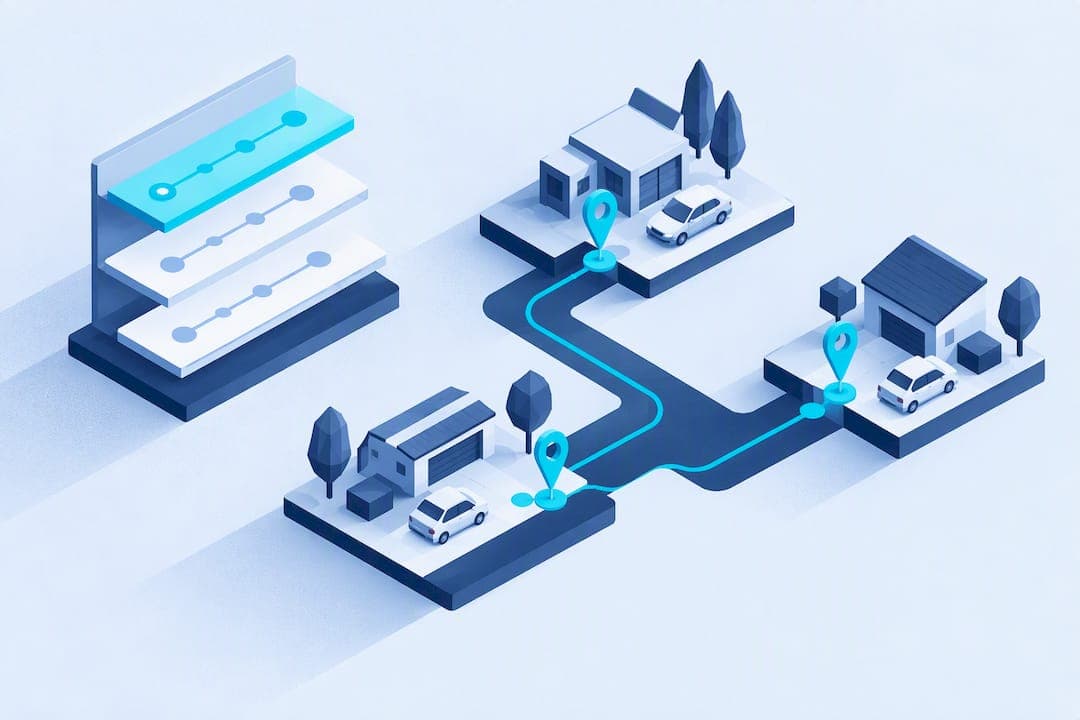
The best approach for mobile detailers is an integrated CRM with traffic-aware, multi-stop routing that respects technician constraints like skills, shift windows, and service durations. This combination cuts drive time between jobs, lets techs complete more appointments per day, and lowers fuel and labor costs. Some detailing platforms build routing directly into scheduling and CRM tools, so route planning is integrated, rather than a separate step.
TL;DR:
- Route optimization that considers service durations and technician constraints can increase daily appointments and reduce overtime, especially for multi-van operations.
- Essential features include traffic-aware ETA recalculations, offline app support, dispatch overrides, and data integration to ensure routes stay accurate and manageable.
- Implementing routing in stages with KPI tracking helps verify real efficiency gains before scaling across the entire fleet or schedule.
- Software costs should include onboarding, training, and maintenance, which impact the total first-year ownership beyond just subscription fees.
- Mobile Detail AI integrates booking, CRM, and routing, allowing automatic schedule updates and technician assignment based on real-time job and traffic data.
Table of Contents
- Why route optimization matters for mobile detailers
- Key features and capabilities to require from route-optimization software
- How to evaluate and choose the right route-optimization setup
- Implementation steps: rolling out route optimization without disrupting operations
- Typical pricing bands and quick ROI examples
- How Mobile Detail AI implements route optimization
- Estimated implementation timeline for adopting route optimization software in mobile detailing businesses
- Comprehensive total cost of ownership including software subscription, training, and maintenance
- Author perspective: trade-offs and what success looks like
- How Mobile Detail AI can help you get started
- Sources
- FAQ
Why route optimization matters for mobile detailers
Every minute a technician spends driving between appointments is a minute they are not earning. Detailing route optimization targets that dead time directly, and the savings show up in three places: fuel, labor hours, and vehicle wear. A van that logs fewer miles per job also needs fewer oil changes and brake jobs over its life.
The U.S. Small Business Administration recommends tracking concrete operational metrics like cost per job when introducing new workflows, which makes windshield time an easy number to watch before and after a routing change.
- A solo detailer squeezing one extra job into a day through tighter routing adds real revenue without adding hours worked.
- Multi-van operations gain even more, since smart sequencing avoids sending two vans to opposite sides of town in the same afternoon.
- Reduced overtime follows naturally when routes are tighter, since techs finish their assigned stops closer to schedule.
Route efficiency directly affects capacity. Staged rollouts paired with KPI tracking, as the SBA guidance suggests, help confirm the gains are real rather than assumed.
Key features and capabilities to require from route-optimization software
Not all "route optimization" claims mean the same thing. Some tools just draw a straight line between addresses. Others actually account for how a detailing business operates day to day. Before choosing a system, confirm it handles the following:
- Multi-stop sequencing that factors in service duration, not just distance, so a two-hour ceramic coating job doesn't get scheduled like a 30-minute wash.
- Technician and vehicle constraints, including skill sets, tool availability, shift windows, and service-zone boundaries.
- Traffic-aware ETA calculations with dynamic re-routing when a job runs long or traffic shifts midday.
- Offline app capability for technicians working in areas with weak signal, so job details and photo capture still function.
- Two-way messaging between dispatch and drivers, plus proof-of-service photo capture built into the job workflow.
- Dispatch override controls that let a manager manually adjust a route without breaking the rest of the day's plan.
- Data export or API access so route and job data reconciles cleanly with invoicing and reporting.
Pro Tip: Ask any vendor to show a live re-route happening during a demo, not just a static planned route, since that's where most tools reveal their limits.
Technician-facing apps listed on the App Store are worth checking directly. Listings show whether a vendor actually ships a mobile app for drivers, how recently it was updated, and whether it supports offline job data.
How to evaluate and choose the right route-optimization setup
Match the system to your actual operation, not the vendor's biggest client. A solo tech with predictable local jobs has different needs than a five-van operation running across a metro area with varied service-zone rules.
Core evaluation criteria:
- Scale: does the tool handle your current van count and stay usable if you add two more next year?
- Service durations: can you set custom time blocks per service type instead of one generic appointment length?
- Booking flexibility: does customer-facing booking sync automatically with the route plan, or require manual re-entry?
- Integrations: does it connect to your CRM, payment processor, and reporting tools without middleware?
- Offline needs: does the driver app work when signal drops mid-route?
Ask vendors directly about ETA accuracy, how re-routing logic responds to a late job, whether technician constraints are actually enforced or just suggested, and what the trial terms look like.
Route optimization software recommends staged rollouts and measurement of jobs per day, on-time rate, and cost per job before scaling a change across the whole business. U.S. Small Business Administration
Watch for red flags: no support for technician-specific constraints, no batch planning for multiple jobs at once, and pricing that penalizes you for adding technicians.
Implementation steps: rolling out route optimization without disrupting operations
A staged rollout protects existing bookings while you test the new system. The SBA's guidance on managing operations backs this approach: pilot first, measure, then expand.
- Map every service you offer to a duration template and tag each technician by skill and equipment.
- Pilot the new routing in one service zone for one to two weeks, keeping the rest of the schedule on your existing process.
- Train drivers on the mobile workflow: job check-in, photo proof of completed work, and how to flag exceptions.
- Track jobs per day, average drive minutes per job, on-time rate, and fuel usage against your pre-pilot baseline.
- Refine booking windows, territory splits, and buffer times based on what the pilot data shows.
A one- to two-week pilot in a single zone gives you a clean comparison against baseline KPIs without risking your entire schedule on an unproven configuration. Once the numbers hold up, expand zone by zone rather than switching everything at once.
Typical pricing bands and quick ROI examples
Vendor pricing for detailing software tends to fall into three general bands tied to feature depth: entry-level plans built around basic scheduling and CRM functions, mid-tier plans that add online booking with basic routing, and multi-tech plans that layer in fleet-wide routing and consolidated reporting across vans.
A simple way to model payback: take your average job revenue and compare it to the monthly cost of the software tier you're considering. If tighter routing lets one technician complete just one additional job per day, that single job's revenue often covers a meaningful share of the monthly software cost, sometimes the entire cost depending on your pricing and job mix.
- Entry tier: scheduling and CRM basics, best suited to solo detailers testing digital tools for the first time.
- Mid tier: adds customer-facing online booking paired with basic multi-stop routing.
- Multi-tech tier: adds fleet-wide routing, technician constraint enforcement, and consolidated reporting across every van.
Fuel and time savings compound the calculation further, since shorter routes reduce cost per job on top of any added revenue from extra completed appointments.
How Mobile Detail AI implements route optimization
Some platforms combine instant customer booking with a CRM built for detailing businesses, including vehicle history tracking and traffic-aware route optimization in the same system. Bookings made through the Mobile Detail AI marketplace flow directly into the scheduling and routing tools, so a new appointment updates the day's route automatically instead of requiring a separate planning step.
Platforms may support scheduling templates by service type, technician assignment rules based on skill and location, and proof-of-service capture so completed jobs are documented without extra apps. For detailers running multiple vans, assignment rules can help keep each technician's route inside their own service zone rather than crossing paths unnecessarily.
Estimated implementation timeline for adopting route optimization software in mobile detailing businesses
Most detailing businesses can expect a working rollout within several weeks, though the exact pace depends on fleet size and how much historical scheduling data needs to be migrated.
Week one typically covers account setup: mapping services to duration templates, tagging technicians by skill and equipment, and importing existing customer and booking data. This is also when service-zone boundaries get defined for the first time, which matters more than it seems since poorly drawn zones undercut routing quality later.
Weeks two and three are pilot territory. Running the new system in a single zone or with a subset of technicians, as recommended in staged SBA rollout guidance, keeps the rest of the business running on familiar processes while you confirm the routing logic actually fits your job mix.
Week four is usually when full deployment happens, assuming the pilot's KPIs held up. Expanding zone by zone, rather than switching every van and every booking channel simultaneously, keeps disruption low if something needs adjusting.
By week five or six, most businesses have moved past the adjustment period and settled into refining details like buffer times between jobs and how far in advance customers can book. Multi-van operations with more complex service-zone rules sometimes need an extra week or two beyond this to fully tune technician assignment rules across a larger territory.

Comprehensive total cost of ownership including software subscription, training, and maintenance
The subscription fee is only part of what route optimization software actually costs. A full accounting includes onboarding time, technician training, and ongoing maintenance as your service area or fleet grows.
Software subscription is the most visible cost and typically scales with the features you need, from basic scheduling up through fleet-wide routing and reporting. But the number on the pricing page doesn't include the hours spent setting up service templates, defining zones, and importing existing customer data during onboarding.
Training time varies by how comfortable your technicians already are with mobile apps. Drivers used to a paper schedule or a simple group chat will need more hands-on practice with check-in workflows, photo-proof capture, and exception flagging than a team that's already used to app-based dispatch.
Ongoing maintenance is the cost that's easiest to underestimate. As you add technicians, expand into new zones, or adjust service offerings, someone needs to keep duration templates and constraint rules current. A route optimization system that isn't updated to reflect a new service zone or a technician's new certification will quietly produce worse routes over time, even though nothing about the software itself changed.
Budgeting for these three categories together, rather than just the subscription line item, gives a more honest picture of what adopting route optimization actually costs a mobile detailing business over its first year.

Author perspective: trade-offs and what success looks like
Strict routing logic and flexible customer time windows pull against each other. The tighter you lock down arrival windows for efficiency, the less wiggle room customers get, and that trade-off never fully disappears.
Month one usually shows fuel and drive-time gains. Month three is when scheduling friction actually smooths out, once technicians and customers adjust to the new rhythm.
Pro Tip: Start with generous buffer times between jobs and tighten them only after a few weeks of real data.
— Mobile
How Mobile Detail AI can help you get started
An integrated CRM with traffic-aware routing can be more efficient than using separate scheduling apps, mapping tools, and spreadsheets for technician assignments. Some platforms build booking, vehicle history, CRM, and route optimization into one system, so a new appointment updates technicians' routes without manual re-entry.

Some platforms offer multiple plan types for service providers, each adding more booking, routing, and business tools as operations grow. Detailers running mixed fleets or planning territory splits can also draw on outside resources like fleet zone-based scheduling guidance when mapping out service areas.
- Compare your current windshield time against a one- to two-week pilot in a single zone.
- Review the provider subscription plans to find the tier that matches your fleet size.
- Check the service catalog to see how your offerings map to booking and routing templates.
Sources
FAQ
What is the best route optimization software?
There is no single best option for every detailer since the right fit depends on fleet size and service mix. Look for software that handles technician constraints, service-duration-aware sequencing, and traffic-aware ETAs rather than just point-to-point mapping, and check technician-facing apps directly on the App Store before committing.
Is car detailing oversaturated?
Market saturation varies heavily by region and service type, and no single figure applies everywhere. Operators who differentiate through faster response times, verified reviews, and efficient scheduling tend to compete better regardless of how crowded a given local market is.
What is route optimization?
Route optimization is the process of sequencing multiple stops to minimize drive time and distance while accounting for real constraints like service duration, traffic, and technician availability. For mobile detailers, it typically integrates with a scheduling and booking system so routes update automatically as new jobs come in.
What is the best CRM for a detailing business?
The strongest fit is a CRM built specifically for detailing workflows rather than a generic sales tool adapted after the fact. Mobile Detail AI offers a CRM designed for detailers that combines scheduling, route optimization, and payment processing in one system, with CRM-Only, Marketplace, and Preferred plans available on its provider subscription page.