
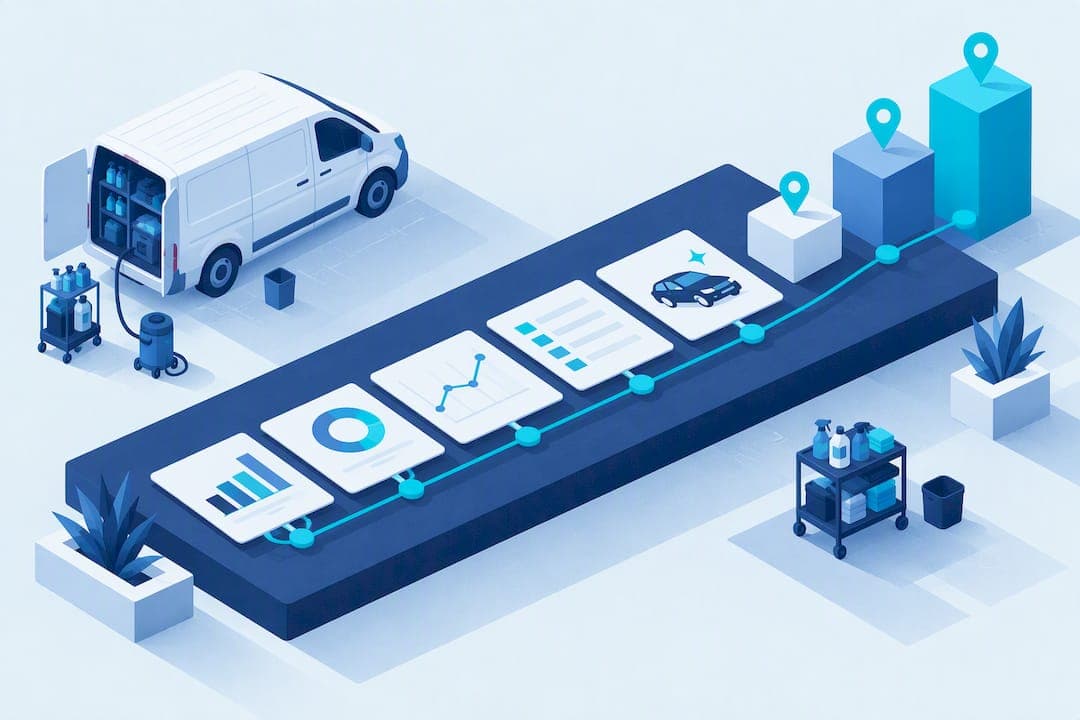
A working detailing business dashboard does five things: it handles scheduling and booking, keeps a CRM with vehicle history, manages quotes through invoicing and payments, controls inventory, and reports on performance with exportable data. None of that matters without actionable KPIs that name an owner and a response for every number out of range. Mobile Detail AI packages these five layers into one platform built specifically for detailers.
TL;DR:
- A comprehensive detailing business dashboard must include scheduling, CRM, invoicing, inventory, and reporting layers to be truly effective.
- Key KPIs to track include cars per detailer per day, gross margin per bay-hour, and the 90-day rebooking rate, with targets and owners assigned.
- Automating deposit requests, reminders, review requests, and inventory alerts enhances workflow efficiency but manual quality checks remain essential.
- A phased rollout over 30, 60, and 90 days helps ensure data migration, automation, and team adaptation without disrupting ongoing operations.
- Integration with accounting, payment processors, and remote/mobile access are critical for real-time decision-making and maintaining data security.
Table of Contents
- Dashboard must-haves: the five functional layers explained
- KPI scorecard: the 9 metrics your dashboard should track and why
- Automation and workflows the dashboard should enable
- How to choose and roll out a dashboard: a 30/60/90 plan
- Integrations, reports, and exports: make dashboard data actionable
- Dashboard templates and wireframes with KPI calculations
- Security and data privacy considerations for handling customer and business data
- Training and support resources for staff using the dashboard
- Scalability of the dashboard for growing detailing businesses
- Mobile and remote access capabilities for the dashboard
- First-person lessons from operators and platforms
- Why Mobile Detail AI is a turnkey dashboard solution
- Sources
- FAQ
Dashboard must-haves: the five functional layers explained
Most shops cobble together a calendar app, a spreadsheet, and a payment processor and call it a system. A real dashboard replaces all three with connected data. Software catalogs that track detailing and field-service tools, including Capterra's listing for Manager SE, group the essential capabilities into five layers: scheduling, CRM, invoicing and payments, inventory, and reporting.
Appointment scheduling needs to do more than hold a time slot. It should collect deposits at booking, sync with a shared calendar so no two vans get sent to the same address, and ideally suggest routes that cut drive time between jobs. A CRM layer should store job notes, before-and-after photos, full service history per vehicle, and tags for membership or loyalty status, so any team member can pull up a car's record before the customer finishes parking.
Quotes and invoicing need to track the gap between what was estimated and what was actually billed, plus how long invoices sit unpaid. Inventory controls should work at the SKU level, flag low stock automatically, and calculate the real cost per job so pricing reflects actual material use rather than a guess from last year.
- Scheduling: online booking, deposit collection, calendar sync, route optimization
- CRM: vehicle history, job photos, service notes, membership tags
- Invoicing: estimate-to-invoice variance tracking, payment aging reports
- Inventory: SKU-level counts, automatic reorder alerts, cost-per-job calculation
- Reporting: exportable data, period-over-period views, seasonal baseline comparisons
A dashboard missing any of these five still forces someone to reconcile numbers by hand at the end of the month, which defeats the purpose of having one.
Pro Tip: Before signing up for any platform, ask to see the inventory and reporting screens, not just the booking calendar. Those two layers are the ones most often missing from otherwise good-looking tools.
KPI scorecard: the 9 metrics your dashboard should track and why
A dashboard full of charts is only useful if each metric has a target, an owner, and a planned response when it drifts. Detailing-specific scorecards built by operators and consultants, like the one from NeoTech Navigators, group metrics into service operations, revenue and growth, customer experience, and cost and quality, which is a cleaner structure than tracking everything on one flat list.

Cars per detailer per day measures raw throughput: a stall or van running below its usual pace signals a scheduling gap or a staffing problem before revenue drops. Average ticket (ARPV) should be watched alongside estimate-to-invoice variance, since a shop that consistently invoices less than it quotes is either underselling upgrades or losing money to scope creep.
Gross margin per bay-hour ties labor and material cost to the physical capacity of the shop, which matters more for fixed-location operations than total revenue alone. Ceramic coating attach rate shows how well the team converts base packages into higher-margin add-ons. Repeat-customer rate should run on a rolling 12-month window rather than monthly, since detailing customers return on multi-year cycles, not SaaS-style monthly churn, a distinction Pulse RevOps makes explicit when it recommends a 90-day rebooking metric alongside the longer repeat-rate window.
| KPI | Cadence | Typical owner |
|---|---|---|
| Cars per detailer per day | Daily | Shift lead |
| Average ticket (ARPV) | Weekly | Owner or manager |
| Gross margin per bay-hour | Monthly | Owner |
| Ceramic attach rate | Weekly | Sales or front desk |
| Repeat-customer rate (12-month) | Monthly | Owner or marketing |
| 90-day rebooking rate | Weekly | Front desk |
| Labor cost percent | Monthly | Owner |
| Online review velocity | Weekly | Front desk |
| Estimate-to-invoice variance | Weekly | Shift lead |
Seasonal baselines matter as much as the targets themselves. The 2026 Auto Laundry News Detailing Survey reports uneven seasonal patterns across the year, so a dashboard comparing this March to last February will mislead every time. Compare the same month year over year, not the month before it.
Automation and workflows the dashboard should enable
The goal of automation is to remove repetitive admin without removing judgment from the parts of the job that need it. A dashboard earns its subscription cost when it handles the predictable messages automatically and leaves the real conversations to staff.
- Send a deposit request the moment a booking confirms, with a short payment window to reduce no-shows.
- Trigger a reminder text 24 hours before the appointment and a second one the morning of, both pulled from the calendar automatically.
- Fire a review request two hours after the job marks complete, while the car still looks the way the customer wants to remember it.
- Sync the invoice to accounting software the moment payment clears, instead of batching entries at month-end.
- Watch the 90-day rebooking rate and, when it drops below target, trigger a retention sequence offering a seasonal package to lapsed customers.
What should stay manual: the final quality check on a finished vehicle and any upsell conversation that depends on reading the customer in person. Automating those turns a relationship into a script, and customers notice.
Pro Tip: Keep automated messages short and specific. A reminder that says "Your detail is tomorrow at 10 AM, address on file" converts better than a generic "see you soon."
How to choose and roll out a dashboard: a 30/60/90 plan
Picking a dashboard is easier when it is scored against the five functional layers rather than a sales demo's highlight reel. Before signing anything, confirm it handles scheduling with deposits, CRM with vehicle history, invoicing with payment aging, inventory with reorder alerts, and exportable reporting.
- Does it sync with the calendar app staff already use?
- Can it accept deposits and card payments at booking?
- Does it track vehicle history and job photos per customer?
- Can it export revenue, inventory, and KPI data for accounting?
- Does it support multiple users with role-based access?
A phased rollout avoids disrupting bookings mid-season.
- Days 1 to 30: Migrate customer and vehicle records, connect the calendar, and run the new system alongside the old one to confirm no bookings fall through.
- Days 31 to 60: Turn on deposit collection and automated reminders, then review the first month of KPI data to adjust pricing or scheduling gaps.
- Days 61 to 90: Activate retention automations, finalize inventory reorder thresholds, and retire the old tools once the team trusts the new numbers.
The most common failure points are data migration errors that duplicate customer records, calendar double-booking during the transition window, and failed payment reconciliation when a processor change is not mapped correctly to the old invoices. Running both systems in parallel for the first two weeks catches most of these before they cost a booking.
Integrations, reports, and exports: make dashboard data actionable
A dashboard that cannot talk to the rest of the business just becomes another spreadsheet with extra steps. Integration gaps are also where feature comparisons in catalogs like the Acumatica versus Craftybase listing show the widest spread between basic and advanced tools, particularly around inventory alerts and activity dashboards.
- Accounting sync with QuickBooks or Xero to avoid manual journal entries
- Payment processor integration that reconciles automatically with invoices
- Two-way calendar sync so route changes update everywhere at once
- SMS and email providers for reminders and review requests
- Point-of-sale connection for shops that also handle walk-in retail
Schedule a few reports on a fixed cadence rather than pulling them on demand: a weekly revenue trend CSV, a monthly accounts receivable aging report, a running inventory reorder list, and a weekly technician productivity summary. Clean data depends on consistent entry habits, so pick a dashboard with an API or scheduled export option rather than one that locks data inside its own screens.
Dashboard templates and wireframes with KPI calculations
A solo mobile operator and a multi-bay shop need different landing screens, even though both run on the same five layers.
Wireframe A, mobile solo detailer: today's route with drive times, open deposits awaiting payment, low-stock van items, and high-priority rebooking reminders sorted by days since last service.
Wireframe B, multi-bay shop: a KPI scorecard at the top (throughput, average ticket, gross margin per bay-hour), technician utilization by shift, and an inventory reorder list below it.
One of the strongest signals to track daily is throughput against a seasonal baseline: the 2026 detailing survey found freestanding operators averaged nearly one thousand vehicles detailed annually, a useful reference point for setting a per-day target and catching a slow stretch early.
| KPI | Formula |
|---|---|
| Gross margin per bay-hour | (Revenue minus direct costs) divided by bay-hours worked |
| Ceramic attach rate | Ceramic jobs divided by total jobs, times 100 |
| 90-day rebooking rate | Customers rebooked within 90 days divided by total customers served |
Security and data privacy considerations for handling customer and business data
A detailing dashboard holds customer names, addresses, vehicle details, and payment information, which makes it a target worth protecting even for a one-van operation. Payment data should run through a processor that handles card storage directly rather than a system that saves card numbers in a plain customer record. Ask any vendor whether payment processing is PCI compliant before storing a single card on file.
Role-based access matters as soon as a shop has more than one employee. A front-desk staffer rarely needs access to payroll or margin data, and limiting what each login can see reduces the damage from a lost phone or a departing employee. Look for two-factor login options and an audit trail that shows who changed a price or voided an invoice.
Backups deserve the same attention as the live system. A dashboard that only lives in one browser tab with no cloud backup puts years of customer history at risk from a single device failure. Before committing to a platform, confirm how customer data is encrypted in transit and at rest, and read the data retention policy so customers' information is not held indefinitely after they stop booking.

Training and support resources for staff using the dashboard
A dashboard only pays off once the whole team uses it the same way. New hires should be able to log a job, update a vehicle record, and process a payment within their first shift, which means the system needs to be simple enough to teach without a manual.
Look for a vendor that offers onboarding support beyond a help article, whether that is a live walkthrough, short video guides, or a support line that responds within a business day. Staff turnover is common in detailing, so a dashboard with a confusing interface becomes a recurring training cost every time someone new joins.
Internal habits matter as much as vendor support. Assign one person to own data entry standards, such as how photos get tagged and how service notes get written, so the CRM stays useful instead of turning into a pile of inconsistent shorthand that only the person who wrote it can read.
Scalability of the dashboard for growing detailing businesses
A dashboard that works for one van often breaks down the moment a shop adds a second location or a third technician. Before growth happens, check whether the platform supports multiple users with separate logins, multiple locations under one account, and reporting that can roll up or split by site.
Franchises and multi-bay operations need the dashboard to separate performance by location while still giving ownership a combined view of revenue, labor cost, and inventory. A system priced per van or per technician scales more predictably than one with a flat fee that forces a renegotiation every time the business adds staff.
Growth also changes what inventory tracking needs to do. A single van can manage stock with a short checklist, but a multi-bay shop needs SKU-level reorder alerts shared across locations so one site does not run out of ceramic coating while another has a surplus sitting on a shelf.
Mobile and remote access capabilities for the dashboard
Detailing is a mobile trade for a large share of operators, so a dashboard locked to a desktop screen misses the point. Technicians need to update job status, upload before-and-after photos, and check the next address from a phone between appointments, not from a laptop back at the shop.
Owners benefit just as much from remote access. Checking the day's bookings, approving a reorder, or reviewing yesterday's revenue from a phone while away from the shop keeps decisions moving without requiring someone to be chained to a desk. A dashboard that works equally well as a phone app and a browser tab covers both the technician in the field and the owner managing multiple sites.
Offline functionality is worth checking too. Mobile detailers often work in driveways and garages with poor signal, so a dashboard that queues updates and syncs once connectivity returns avoids lost job notes or double-charged payments.
First-person lessons from operators and platforms
The most common mistake shops make when buying a dashboard is picking the tool with the prettiest calendar and ignoring whether it reports on margin. A calendar view feels productive, but margin per bay-hour is what tells you whether a busy week was actually profitable. Operators who switch to tracking rebooking rate alongside revenue tend to catch a slipping customer base months before it shows up as a drop in total sales. A dashboard is only as good as the habit of checking the numbers that matter, not just the ones that are easiest to look at.
— Mobile
Why Mobile Detail AI is a turnkey dashboard solution
Running five separate tools to cover scheduling, CRM, invoicing, inventory, and reporting means five logins, five subscriptions, and five places for data to go stale. Mobile Detail AI brings those layers into one platform built for detailing providers, with AI-assisted scheduling, route planning, and payment processing alongside a CRM designed around vehicle history rather than generic contact records.

The platform offers three provider subscription plans: CRM-Only at $1 per month for businesses that want the scheduling and client tools without marketplace visibility, Marketplace at $59 per month for providers who also want customer discovery, and Preferred at $139 per month for operations wanting the fullest feature set. Providers can also list their services directly through the discover page, covering categories from interior and exterior detailing to ceramic coatings.
A short pilot is the fastest way to judge fit:
- Test scheduling reliability and route optimization over a full week of real bookings.
- Run live payments through the system to confirm deposits and invoicing sync correctly.
- Export a KPI report to check the data matches your own records.
Visit Mobile Detail AI to compare plans and request a demo.
Sources
- Manager SE — Capterra listing
- 2026 Auto Laundry News Detailing Survey (Detailing Survey PDF)
- Auto detailing KPI scorecard — NeoTech Navigators
FAQ
How much should you tip on a $200 detail?
Tipping practice varies by region and shop, and there is no official standard rate for detailing. Many customers tip in the range common for personal services, roughly 15% to 20% of the ticket, but it comes down to personal choice and satisfaction with the work.
What is the best app for a detailing business?
The best choice depends on whether you need scheduling alone or a full system covering CRM, invoicing, inventory, and reporting. Mobile Detail AI covers all five layers in one platform with plans starting at $1 per month for CRM-only use.
How profitable is a detailing business?
Profitability varies widely by location, pricing, and overhead, but the 2026 Auto Laundry News Detailing Survey found a significant portion of respondents reported year-over-year income increases. Tracking gross margin per bay-hour and labor cost percentage on a dashboard gives a clearer picture than total revenue alone.
How do you get more customers for a detailing business?
Automated review requests sent shortly after a job completes and a retention sequence for customers overdue for rebooking are two of the highest-leverage moves for growing repeat and referral business. Listing services on a marketplace, such as the discover page, also expands visibility to customers actively searching for a detailer.
What KPIs matter most for a detailing dashboard?
Throughput, average ticket, gross margin per bay-hour, and the 90-day rebooking rate give the clearest view of day-to-day health, based on scorecards used by operators like the one from NeoTech Navigators. Pair those with a rolling 12-month repeat-customer rate to catch slower, longer-term trends.